
Welcome to the Help Center
Welcome to the U-Movers & Logistics Help Center — your complete guide to using our shipping platform. Whether you need to ship a pallet across the country, a container across the ocean, or a package across town, this guide walks you through every step.
What U-Movers Offers
U-Movers & Logistics is an all-in-one shipping platform that lets you:
- Compare freight rates from multiple carriers in real time (LTL and FTL)
- Book ocean containers for international shipping via CMA CGM
- Ship parcels through UPS, FedEx, USPS, and DHL
- Request moving estimates for residential and commercial relocations
- Track shipments across all modes from one place
- Manage your account through the Client Portal
No account is required to get quotes or track shipments. You only need to sign in when accessing the Client Portal.
How to Navigate the Website
Every page on U-Movers has a Menu button in the top-right corner. Click or hover over it to access:
| Menu Item | What It Does |
|---|---|
| Home | Returns to the homepage |
| Services | Full list of everything we offer |
| LTL Freight Rates | Get less-than-truckload quotes |
| FTL Freight Rates | Get full truckload quotes |
| Moving & Relocation | Request a moving estimate |
| Parcel Shipping | Compare package shipping rates |
| Ocean Shipping | Get container shipping quotes |
| Shipment Tracking | Track any shipment |
| My Account | Sign in to the Client Portal |
The footer on every page includes links to About, Terms, Privacy Policy, and a Contact Us toggle with our address, email, and phone number.
Getting Freight Quotes
LTL Freight Rates
Page: u-movers.com/freight/ltl
LTL (Less-Than-Truckload) is for shipments that don’t fill an entire truck — typically pallets or crates weighing between 150 and 15,000 lbs. U-Movers compares live rates from Estes Express and Uber Freight so you can pick the best option.
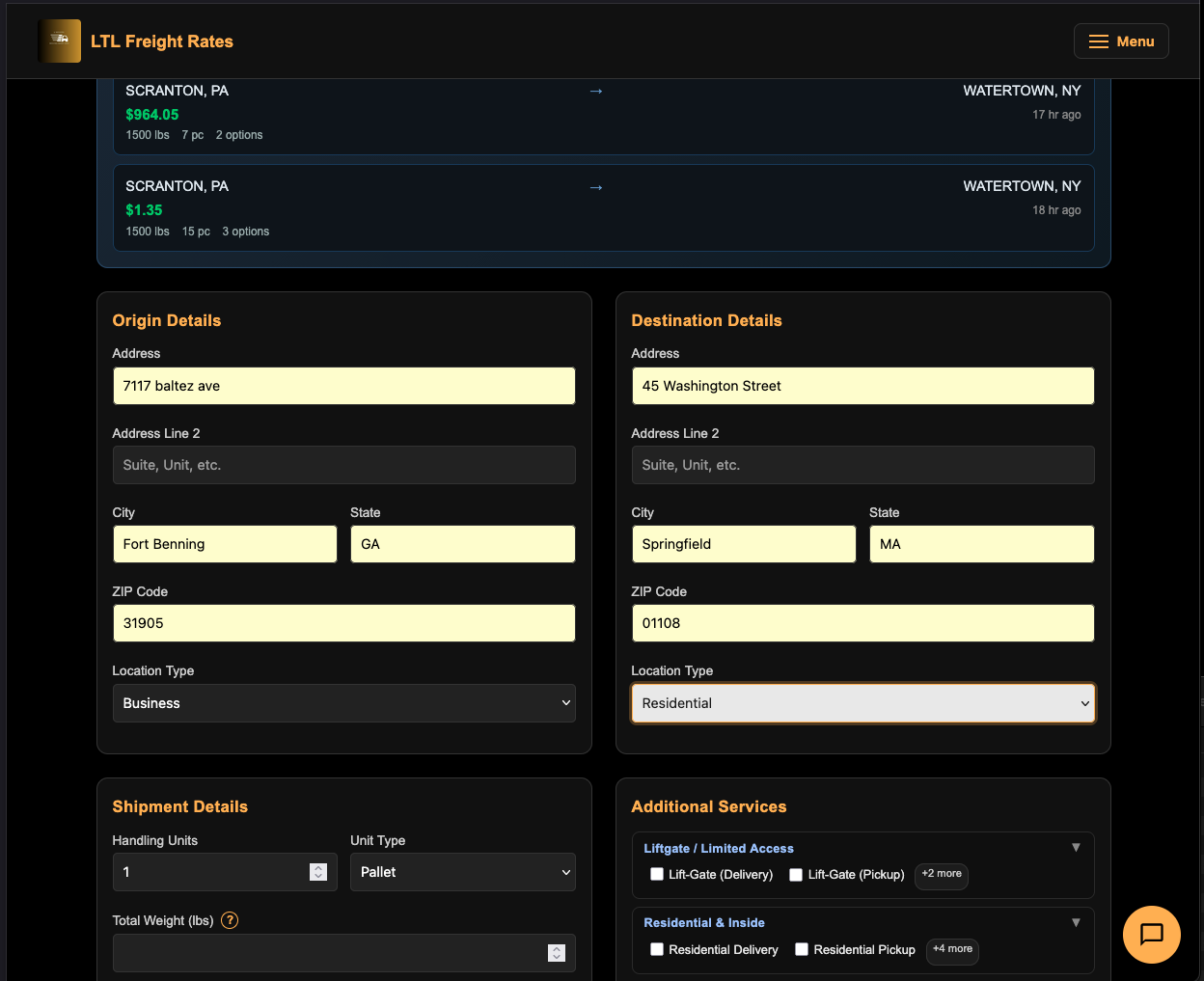
Step 1: Enter Origin and Destination
Fill in the Origin and Destination sections:
- ZIP Code — Start here. When you type a ZIP, the city and state auto-fill.
- Address — Street address with autocomplete suggestions.
- City / State — Auto-filled from ZIP, but editable.
- Location Type — Choose Business or Residential. This affects pricing because carriers charge extra for residential pickups/deliveries.
Step 2: Describe Your Shipment
In the Shipment Details section:
- Handling Units — Number of pallets, crates, or pieces (default: 1).
- Unit Type — Select from 28+ options. The default “Pallet-48x40” works for standard pallets.
- Total Weight — Enter the total weight in pounds. A weight hints panel will guide you:
- Under 150 lbs? Consider parcel shipping instead.
- 150 – 5,000 lbs → Standard LTL.
- 5,000 – 10,000 lbs → Volume LTL.
- Over 10,000 lbs? Consider Full Truckload (FTL).
- Dimensions (optional) — Length, Width, Height in inches. Providing dimensions can improve rate accuracy.
- Freight Classification — Select from classes 50 through 500. If you’re unsure, leave the default. Your carrier may reclassify.
- Ship Date and Time — When you want the shipment picked up.
Step 3: Add Services (Optional)
Click the Additional Services section to expand accessorial options. These are organized by category:
- Pickup Services — Liftgate pickup, inside pickup, residential pickup, limited access pickup.
- Delivery Services — Liftgate delivery, inside delivery, residential delivery, limited access delivery.
- Special Handling — Hazardous materials, protect from freezing, appointment required.
Step 4: Get Your Rates
Click “Get Rates”. Results appear below the form showing rate cards from multiple carriers. Each card displays:
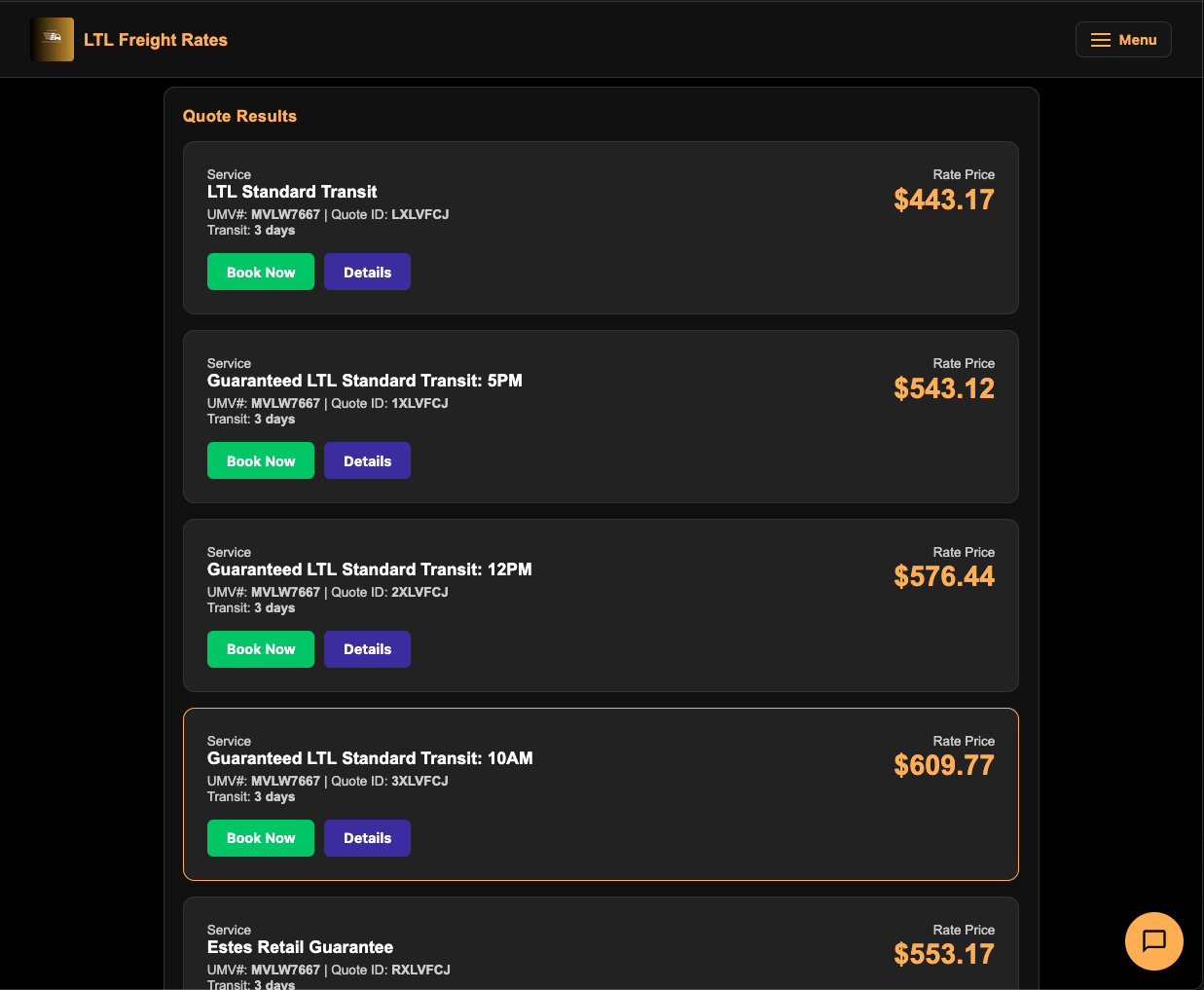
- Carrier Name — e.g., Estes Express, Uber Freight.
- Service Level — e.g., Standard LTL, Economy LTL.
- Transit Time — Estimated delivery days.
- Price — The total quoted rate.
- “Book This Rate” button.
Step 5: Book Your Shipment
When you find a rate you like, click “Book This Rate”. This takes you to the booking page where you’ll enter shipper/receiver details and payment information.
Recent Quotes
Your quotes are saved for the current session. Look for the Recent Quotes panel at the bottom of the page to restore a previous quote without re-entering all the details.
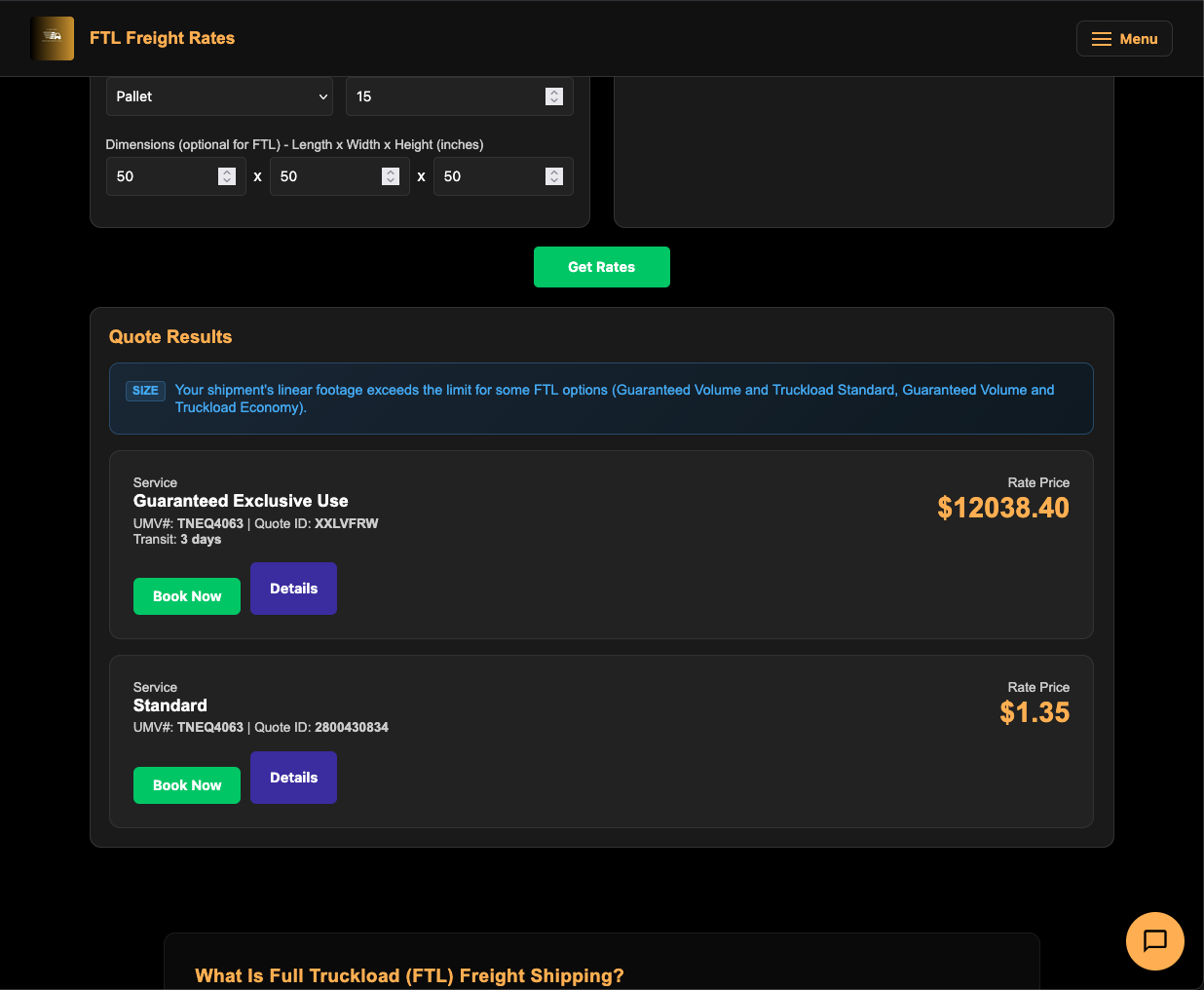
FTL Freight Rates
Page: u-movers.com/freight/ftl
FTL (Full Truckload) is for large shipments that need a dedicated truck — typically over 10,000 lbs or when you need exclusive use of the trailer.
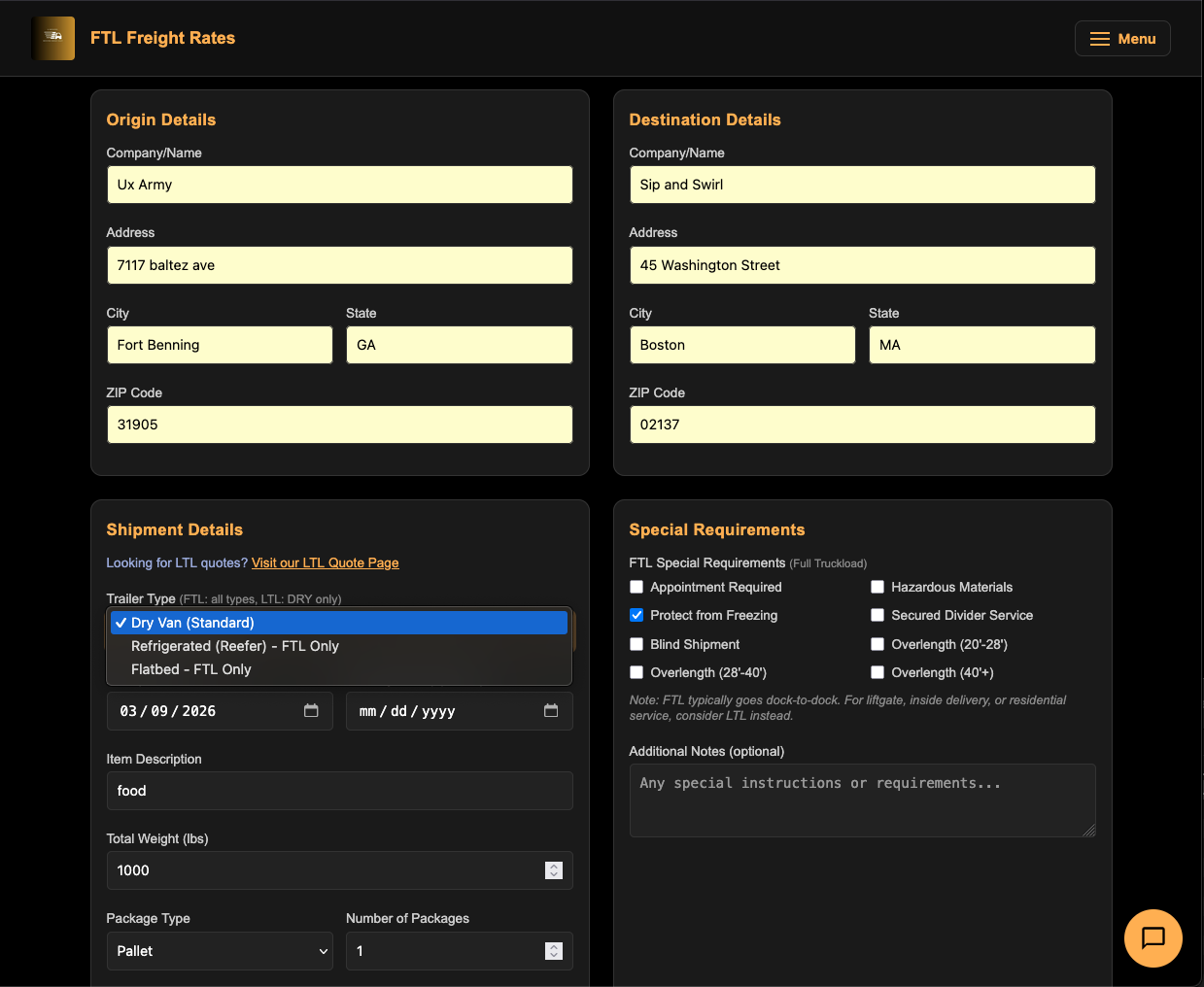
Step 1: Enter Origin and Destination
Same as LTL — fill in addresses for both origin and destination. ZIP codes auto-fill city and state.
FTL also asks for Company/Name at both origin and destination.
Step 2: Select Equipment
- Trailer Type — Choose from:
- Dry Van — Standard enclosed trailer (most common).
- Refrigerated — Temperature-controlled for perishables.
- Flatbed — Open trailer for oversized/heavy equipment.
If you select Refrigerated, additional temperature controls appear:
- Min/Max Temperature
- Precool Temperature
- Temperature Mode (Continuous or Cycle)
Step 3: Enter Shipment Details
- Pickup Date and optional Delivery Date.
- Item Description — What you’re shipping.
- Total Weight (lbs).
- Package Type and Package Count.
- Dimensions (optional).
Step 4: Special Requirements
Check any that apply:
- Appointment Required
- Hazardous Materials
- Protect from Freezing
- Secured Divider Service
- Blind Shipment
- Overlength (3 size tiers)
- Liftgate Pickup/Delivery
- Inside Pickup/Delivery
- Residential Pickup/Delivery
- Limited Access Pickup/Delivery
Step 5: Get Your Rates
Click “Get Rates”. The results show FTL-specific service levels like “Truckload” and “Exclusive” from Estes and Uber Freight.
Ocean Container Shipping
Page: u-movers.com/ocean/quote
U-Movers offers Full Container Load (FCL) ocean freight through CMA CGM, one of the world’s largest shipping lines. Ship containers between 150+ global ports.
Getting Ocean Quotes
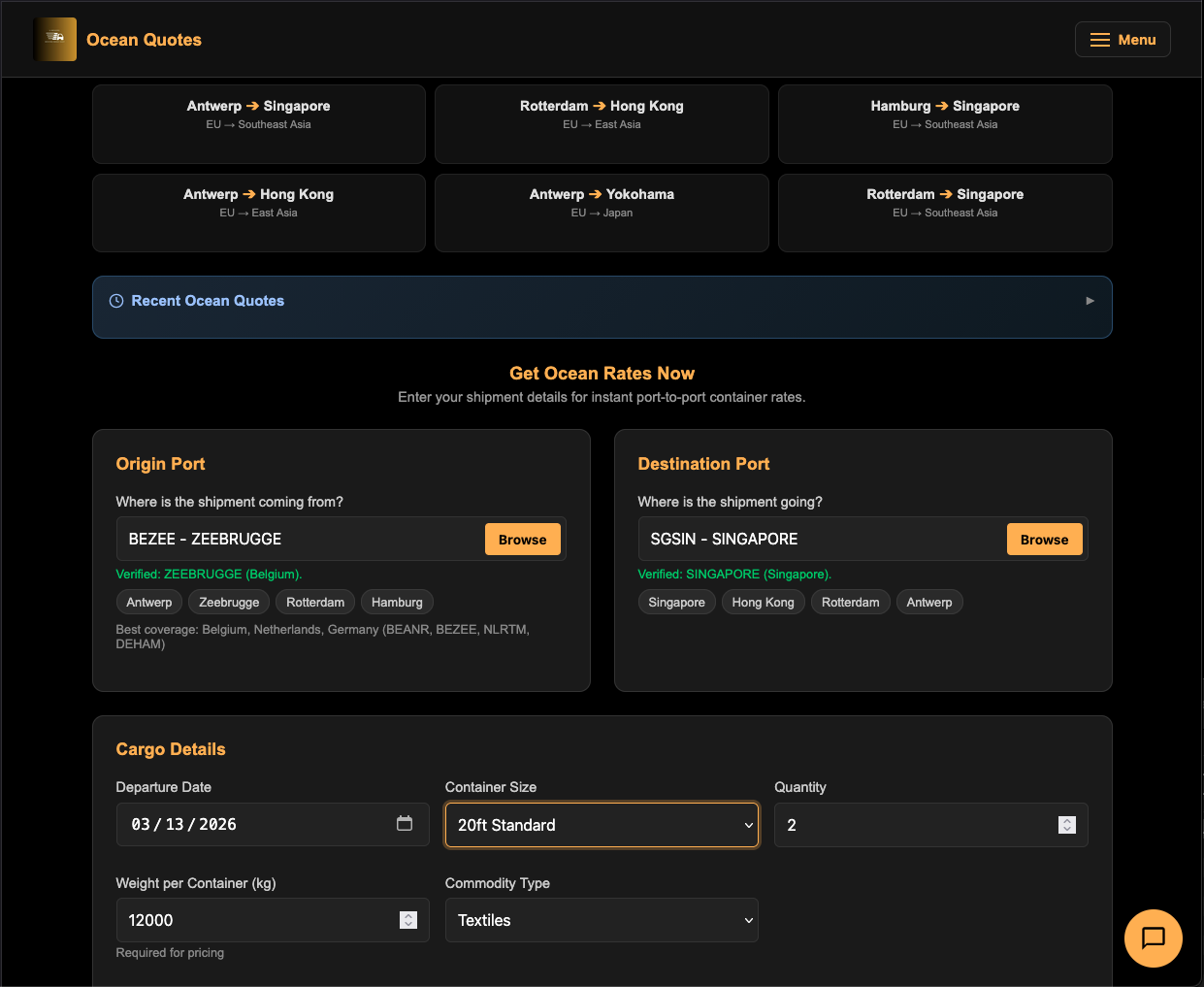
Step 1: Select Ports
Origin Port:
- Type a city name or 5-letter port code (UNLOCODE) in the search field.
- Click “Browse” to open the port browser modal — search, filter, and select from a visual grid.
- Or click a Popular Port chip for quick selection: Antwerp, Zeebrugge, Rotterdam, Hamburg.
Destination Port:
- Same process as origin. Popular destination chips: Singapore, Hong Kong, Rotterdam, Antwerp.
Step 2: Cargo Details
- Departure Date — When you want the container to sail.
- Container Size — Choose from:
- 20ft Standard
- 40ft Standard
- 40ft High Cube (default — most popular)
- 45ft High Cube
- 20ft Reefer (refrigerated)
- 40ft Reefer HC (refrigerated high cube)
- Quantity — Number of containers (1–99).
- Weight per Container — In kilograms (default: 12,000 kg).
- Commodity Type — General Cargo (FAK), Electronics, Machinery, Textiles, Food Products, Chemicals (Non-Haz), Auto Parts, or Furniture.
Step 3: Get Quotes
Click “Get Ocean Quotes”. Results show available sailings with:
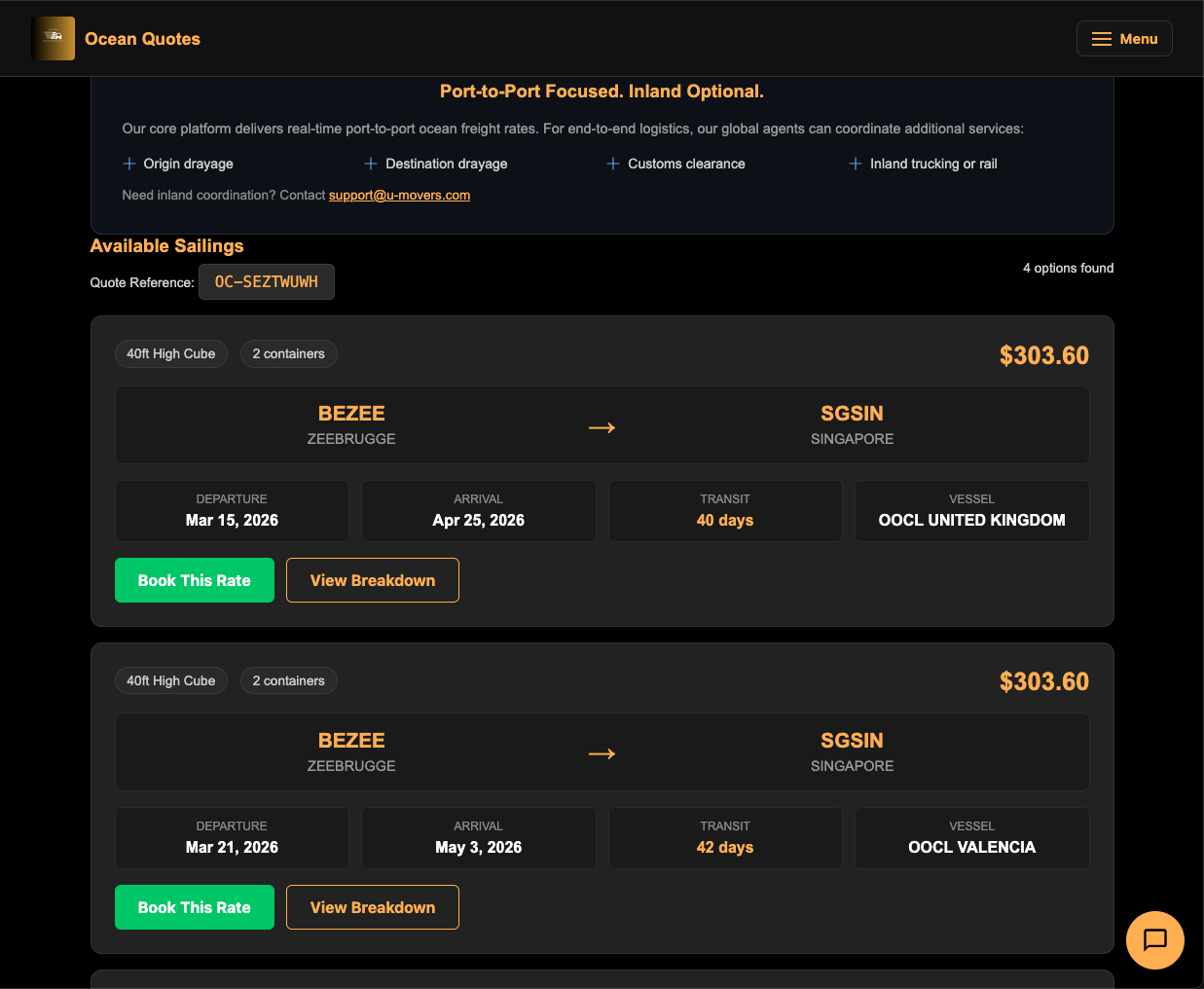
- Route display (port codes with arrow).
- Price — Total presented rate.
- Departure and arrival dates.
- Transit time in days.
- Equipment type tags.
- “View Details” — Expand to see full charges breakdown.
- “Book This Rate” button.
Popular Trade Lanes
The page offers pre-filled clickable trade lanes for common routes:
- Antwerp → Singapore
- Rotterdam → Hong Kong
- And more.
Click any trade lane to auto-fill both ports and jump straight to getting quotes.
Booking Ocean Containers
After selecting a quote, you’re taken to the Ocean Booking page.
What You’ll Need
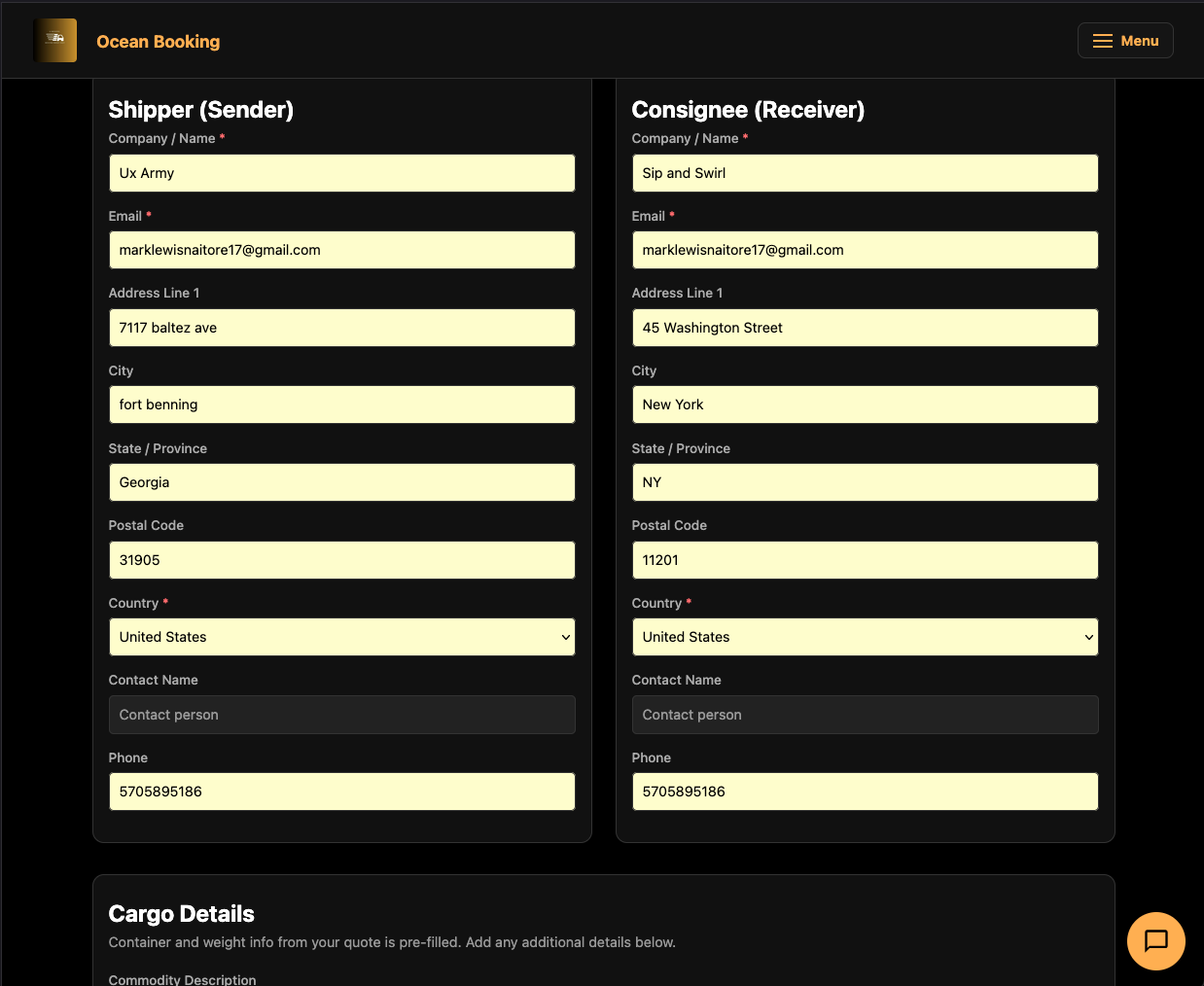
- Shipper (sender) details — Company name, email, full address, contact info.
- Consignee (receiver) details — Same fields as shipper.
- Cargo details:
- Commodity Description (from a categorized dropdown — Apparel, Electronics, Machinery, etc.).
- HS Code (auto-filled from commodity selection, or enter manually).
- Whether the cargo is hazardous (if yes, UN Number required).
- Special instructions.
- Payment — Credit card, PayPal, or invoice.
Booking Steps
- Review the Rate Summary at the top (route, dates, container type, price).
- Fill in Shipper and Consignee sections.
- Complete Cargo Details.
- Complete Payment using the payment form.
- Check the Terms & Conditions box.
- Click “Submit Ocean Booking”.
After successful booking, you’re redirected to the Shipping Instructions page.
Shipping Instructions (Post-Booking)
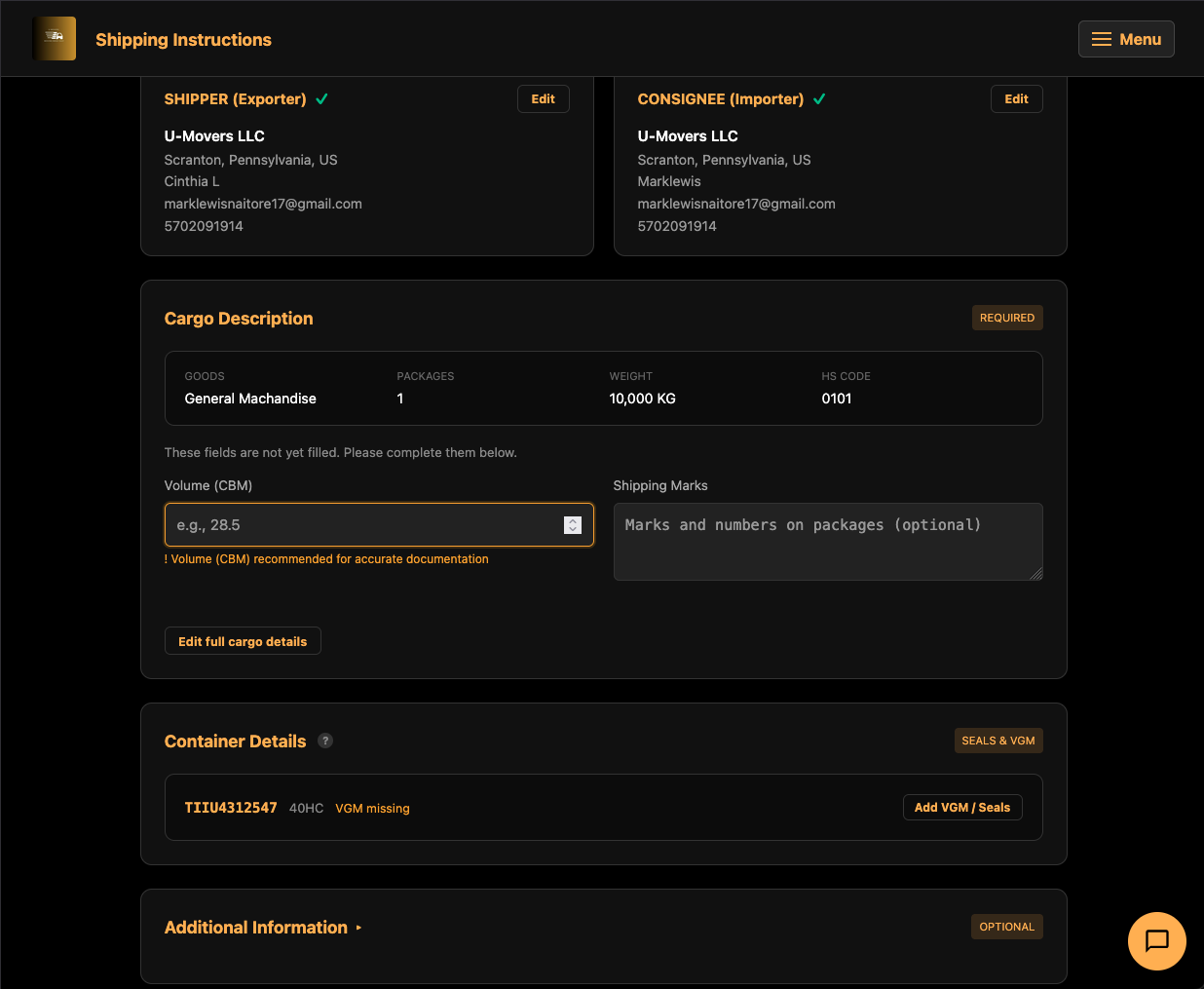
After booking an ocean container, you need to submit Shipping Instructions (SI) — the documentation that creates your Bill of Lading.
How to Access
You’ll be automatically redirected here after booking. You can also access it later via:
- The email link sent after booking.
- Entering your carrier booking reference on the page.
The Progress Bar
The page shows a 4-step progress bar:
- Quote (complete)
- Booking (complete)
- Shipping Instructions (you are here)
- Summary
What You’ll Fill In
Most details are pre-filled from your booking. You only need to complete missing items:
Transport Document Type:
- Bill of Lading (B/L) — Negotiable document of title (default).
- Sea Waybill (SWB) — Non-negotiable receipt.
- Number of originals and copies.
- B/L issue location.
Shipper and Consignee:
- Pre-filled from booking — click “Edit” to modify.
- Click “Done” when finished editing.
Cargo Description:
- Description of goods, HS code, number of packages, package type, gross weight (kg), volume (CBM), and shipping marks.
- Click “+ Add Another Cargo Item” for multiple cargo types in one container.
Container Details (Seals & VGM):
- Container number (assigned by the carrier).
- Seal number and type.
- VGM (Verified Gross Mass) — Required by SOLAS international regulations.
Additional Information (optional):
- Shipper’s reference, purchase order, special instructions.
Saving and Submitting
- “Save Draft” — Save your progress and come back later.
- “Load from Draft…” — Restore a previously saved draft.
- “Submit Shipping Instructions” — Final submission once all required fields are complete.
A completion checklist bar at the top tracks your progress — it shows which sections are done and what percentage is complete. When everything is filled in, a celebration banner appears: “All required details completed — Ready to submit.”
Parcel & Package Shipping
Page: u-movers.com/parcel/quote
Compare real-time parcel shipping rates from USPS, UPS, FedEx, and DHL — all in one place. No account required.
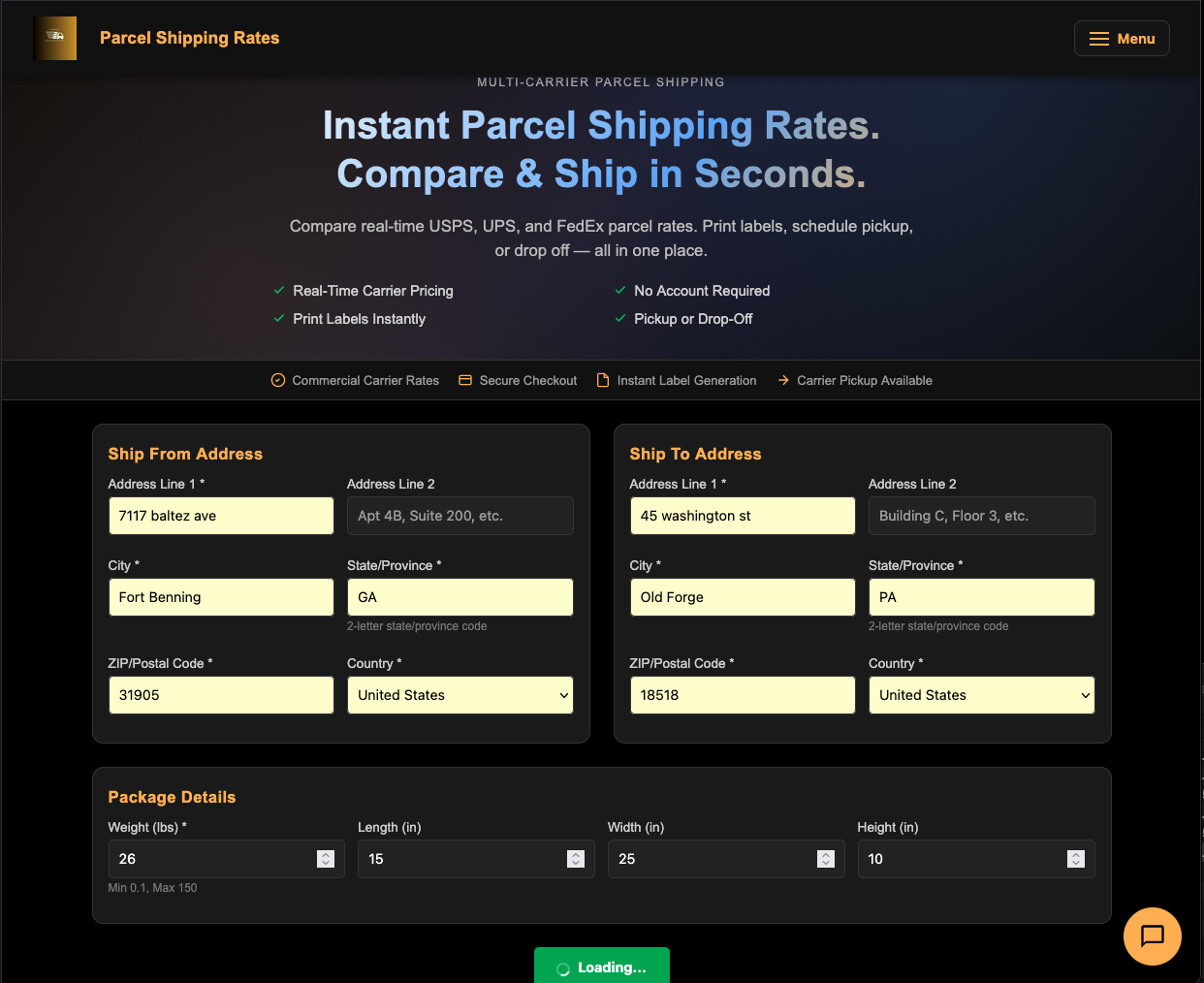
Getting Parcel Rates
Step 1: Ship From Address
- Address Line 1 (required), Address Line 2 (optional).
- City (with autocomplete), State (2-letter code), ZIP Code.
- Country — Supports 25+ countries including US, Canada, UK, Australia, and more.
Step 2: Ship To Address
Same fields as the “Ship From” section. International shipping is supported.
Step 3: Package Details
- Weight — In pounds (0.1 to 150 lbs).
- Dimensions — Length, Width, Height in inches.
Step 4: Get Rates
Click “Get Rates”. Results appear as a grid of rate cards, each showing:
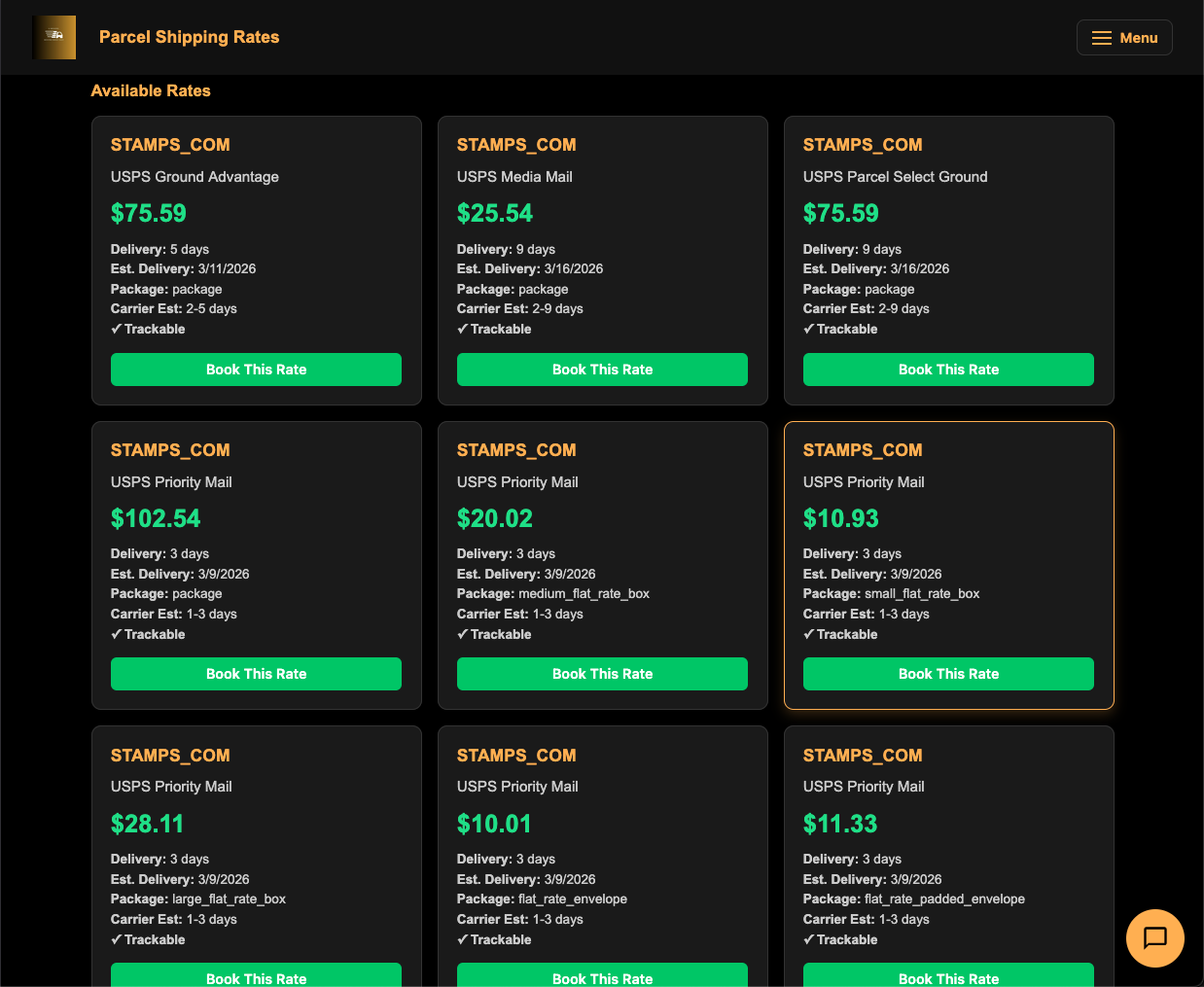
- Carrier — USPS, UPS, FedEx, or DHL.
- Service Name — e.g., “Priority Mail”, “Ground Advantage”, “FedEx 2Day”.
- Price — Highlighted in green.
- Delivery Details — Transit time and estimated delivery date.
- Badges — “Cheapest” (green) for the lowest rate, “Fastest” (blue) for the quickest delivery.
- “Select” button to proceed.
After Selecting a Rate
Click “Select” on your preferred rate to proceed to the parcel booking flow where you’ll confirm addresses, add package details, and pay. After payment, a shipping label is generated as a downloadable PDF.
Moving & Relocation
Page: u-movers.com/relocation
U-Movers provides professional moving services in the Scranton, Wilkes-Barre, and Northeast Pennsylvania area. The relocation page uses a guided 4-step wizard to collect your move details.
Step 1: Choose Your Move Type
Select one of four cards:
- Residential — Home, apartment, or condo moves.
- Office/Commercial — Business or office space relocation.
- Specialty — Storage, piano, or special item moves.
- Long Distance — Interstate or cross-country moves.
After selecting, the form automatically advances to Step 2.
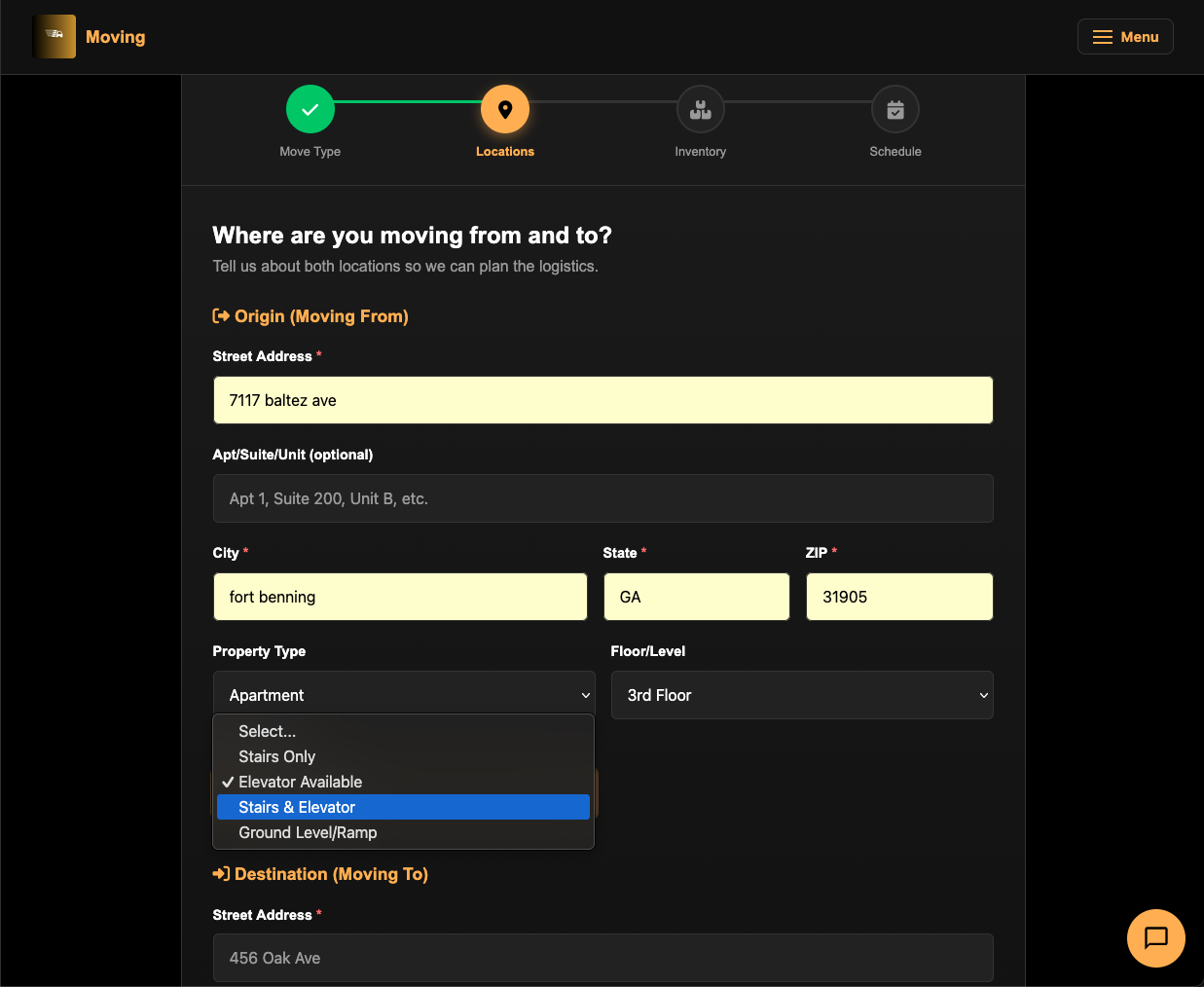
Step 2: Enter Locations
Moving From (Origin)
- Street Address — With autocomplete for faster entry.
- Apt/Suite/Unit (optional).
- City, State, ZIP — ZIP auto-fills city and state.
- Property Type — House, Apartment, Condo/Townhouse, Office, Warehouse, or Storage Unit.
- Floor/Level — Ground, 1st–3rd, 4th+, or Basement.
- Access Type — Stairs Only, Elevator, Stairs & Elevator, or Ground Level/Ramp. If stairs are involved, specify the number of flights.
Moving To (Destination)
Same fields as the origin section.
Click “Continue” to proceed.
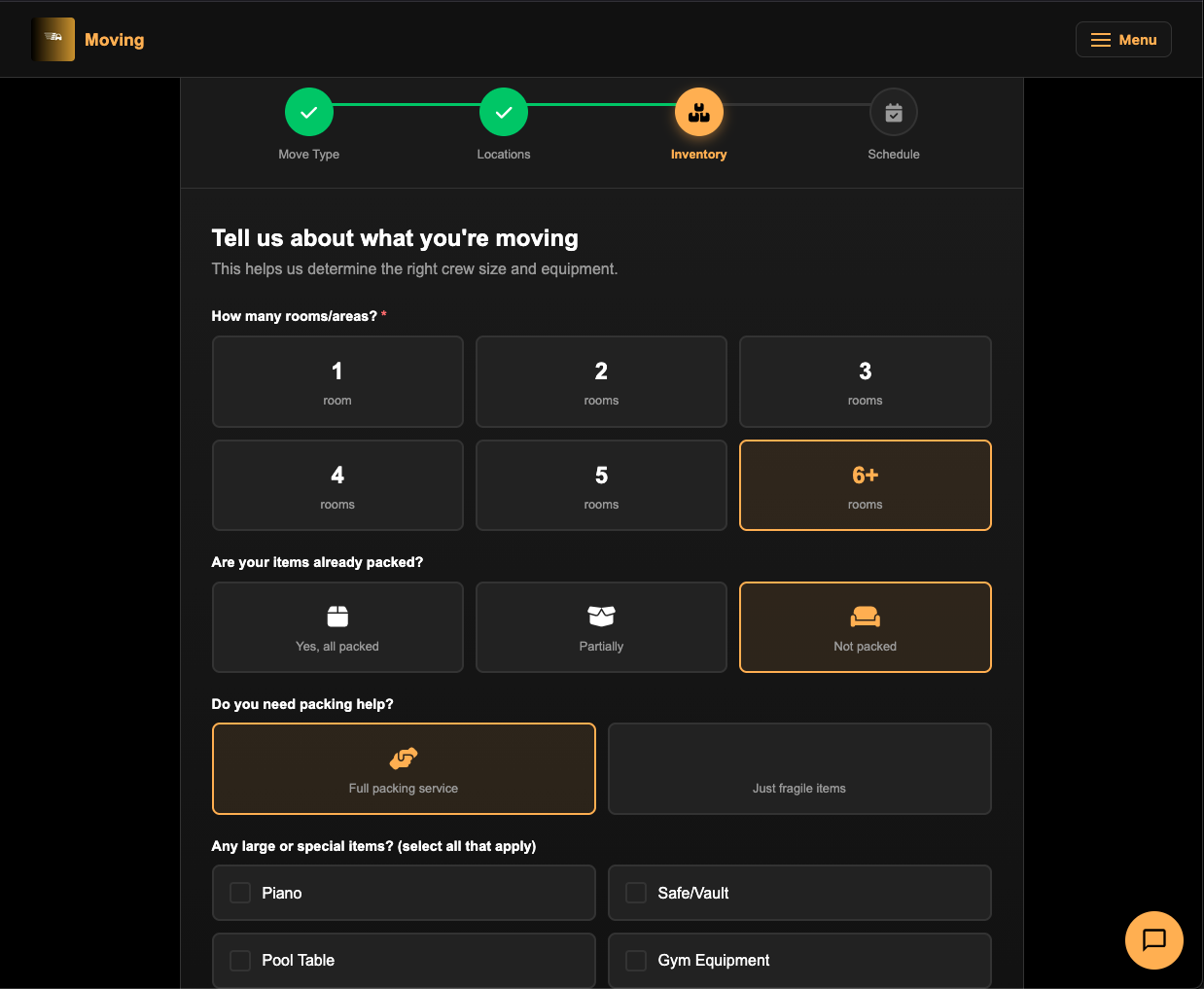
Step 3: Inventory Details
- Number of Rooms — Click a card: 1, 2, 3, 4, 5, or 6+ rooms.
- Items Packed? — Yes, Partially, or Not packed.
- If not fully packed, you’ll be asked: Need Packing Help? — Full service or Just fragile items.
- Special Items — Check all that apply: Piano, Safe/Vault, Pool Table, Gym Equipment, Antiques/Art, Large Appliances, Hot Tub/Spa, Motorcycle/ATV, Other.
- Additional Notes — Free text for anything else the movers should know.
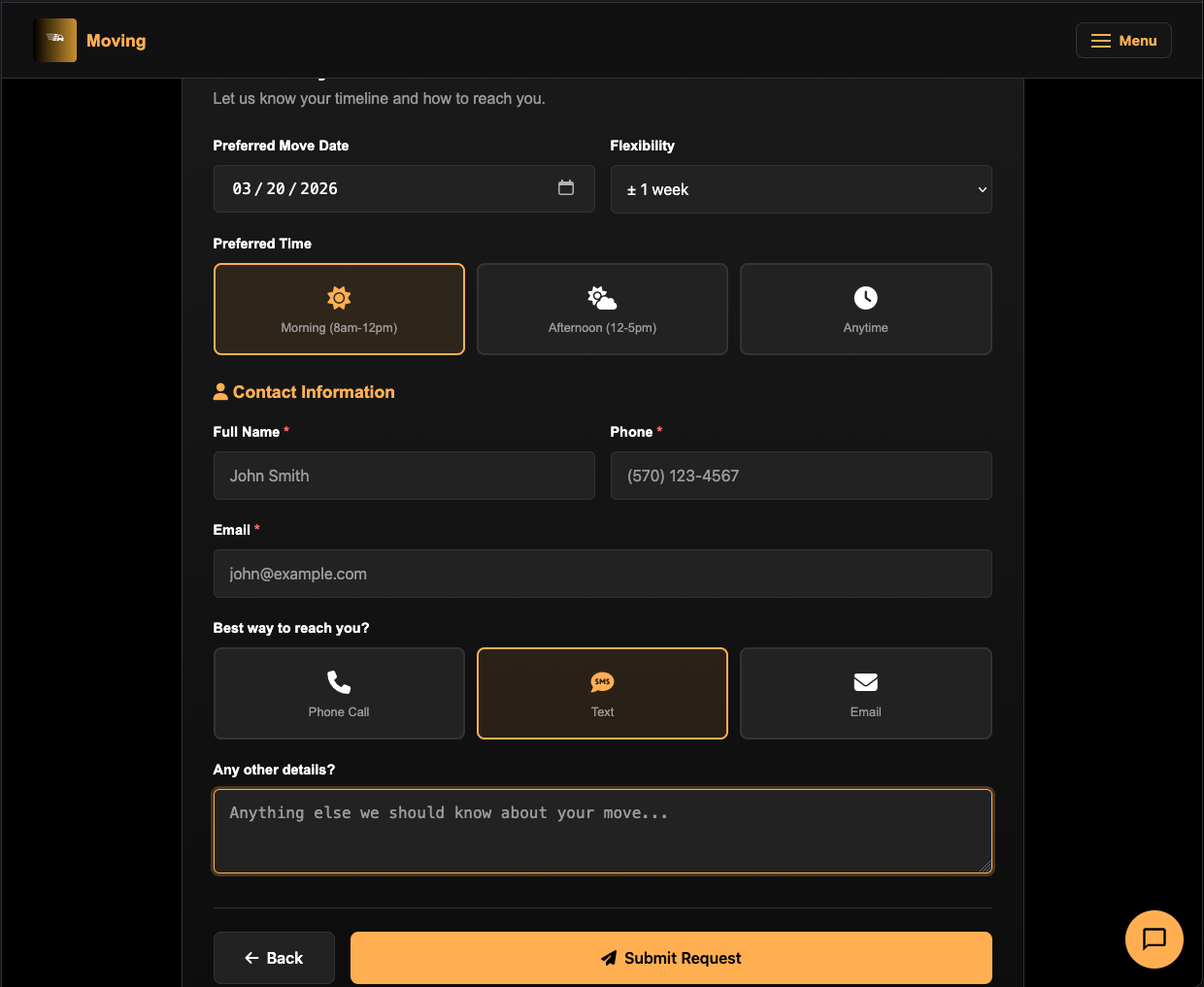
Step 4: Schedule & Contact
- Preferred Move Date — Pick your date.
- Flexibility — Exact date, plus/minus 1-2 days, plus/minus 1 week, or Very flexible.
- Preferred Time — Morning (8am–12pm), Afternoon (12–5pm), or Anytime.
- Contact Information:
- Full Name (required)
- Phone (required, auto-formatted)
- Email (required)
- Best Way to Reach You — Phone Call, Text, or Email.
- Additional Details (optional).
Click “Submit Request” and you’ll see a confirmation with a reference number. Our team will contact you within 24 hours with a free estimate.
Booking & Payment
Freight Booking (Estes)
After selecting an Estes rate (either LTL or FTL), you’re taken to the booking page.
Rate Summary
The top of the page shows a read-only summary of your selected quote:
- UMV Reference Number
- Quote ID and Service Level
- Transit Time
- Weight and Pieces
- Origin to Destination
- Line items and accessorials
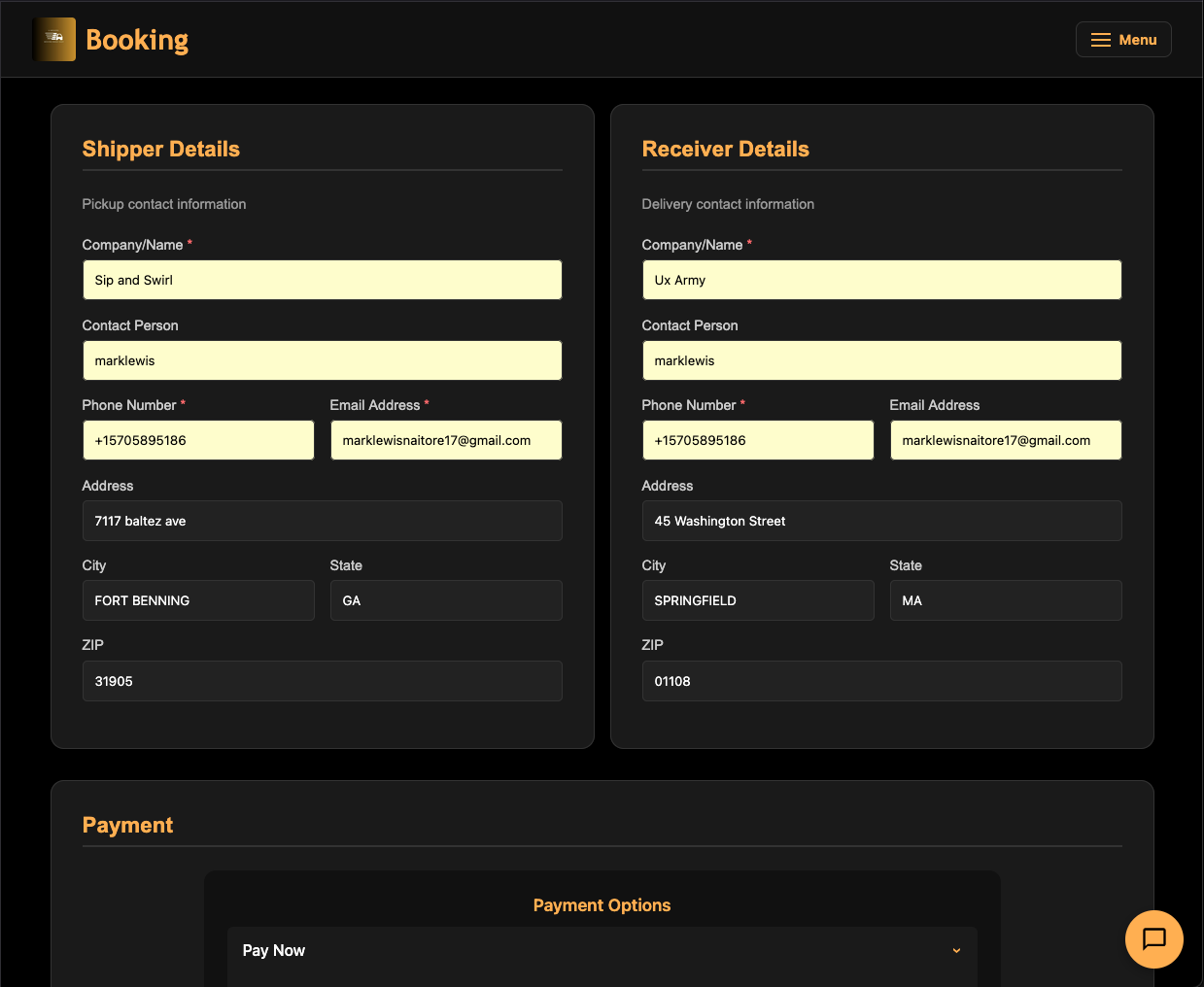
Shipper Details
Fill in the sender’s information:
- Company/Name (required)
- Contact Person
- Phone and Email (required)
- Full address (street, city, state, ZIP)
Receiver Details
Fill in the recipient’s information — same fields as shipper.
Payment
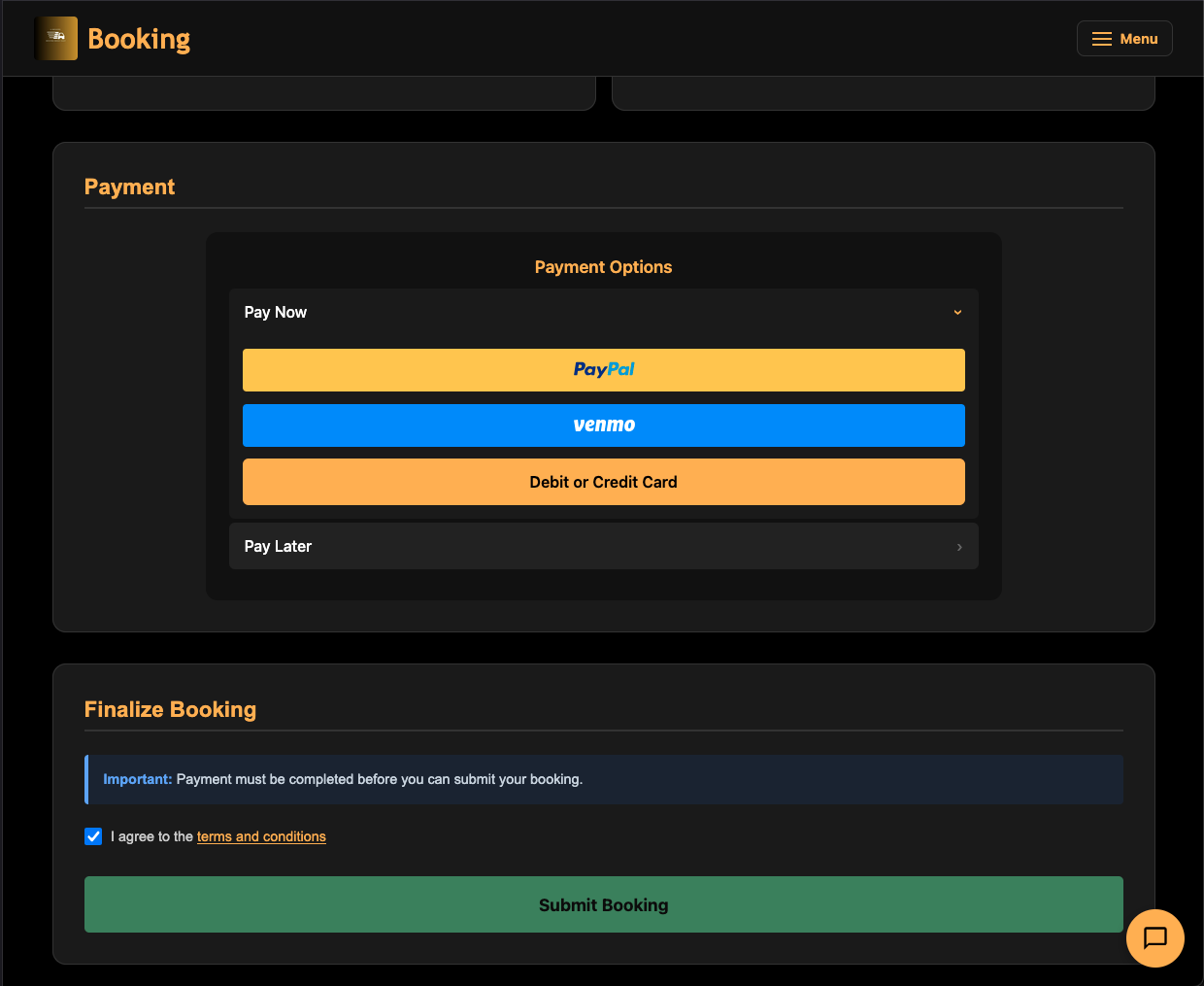
The payment form supports:
- Credit/Debit Card — Enter card details directly.
- PayPal — Redirects to PayPal for authorization.
- Invoice — Select “Invoice Me” to receive an invoice with payment terms (default: 30 days).
Submit Booking
- Complete payment.
- Check the Terms & Conditions box.
- Click “Submit Booking”.
After booking, you’ll see options to proceed to Pickup Scheduling to arrange carrier pickup.
Freight Booking (Uber Freight)
After selecting an Uber Freight rate (LTL or FTL), the process is similar but includes additional fields:
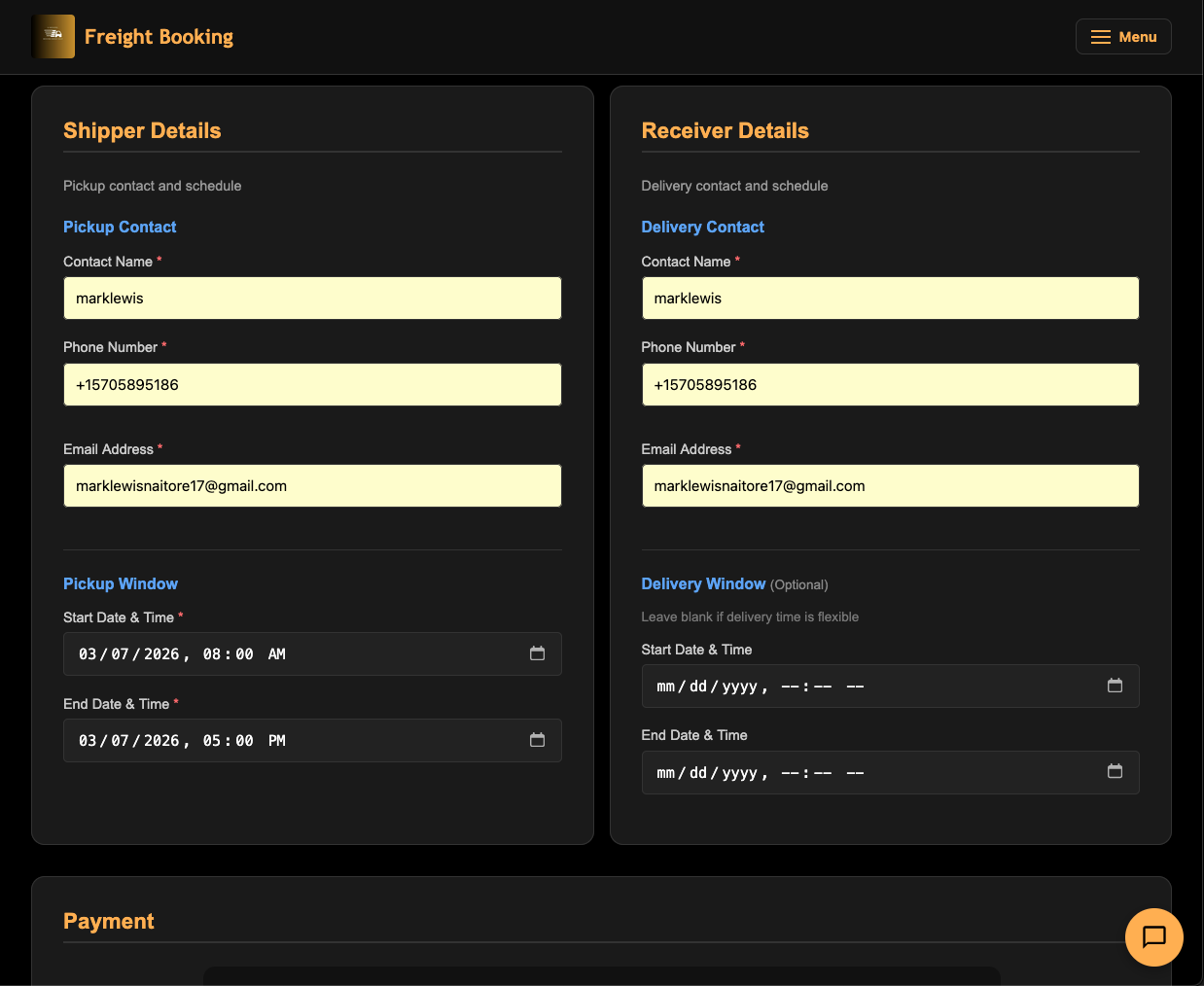
- Pickup Window — Start and end datetime (required). This tells Uber Freight when the cargo is available.
- Delivery Window — Start and end datetime (optional).
- References — Customer PO and Customer Reference fields. Helpful buttons let you auto-fill these from your invoice or receipt number.
- Special Instructions — Free text for the carrier.
Once submitted, Uber Freight assigns a carrier and coordinates the pickup directly.
Payment Options
U-Movers supports three payment methods across all booking types:
| Method | How It Works | When to Use |
|---|---|---|
| Credit/Debit Card | Enter card details in the secure payment form | Immediate payment, fastest processing |
| PayPal | Redirects to PayPal for authorization | If you prefer PayPal’s buyer protection |
| Invoice | Generates an invoice sent to your email | Business accounts, net-30 payment terms |
Invoicing
When you select “Invoice Me”:
- An invoice is generated with a unique number (e.g., INV-UUXE1769).
- The invoice PDF is emailed to your address.
- Payment terms are typically 30 days from the invoice date.
- Pay via the link in the email, or contact us to arrange bank transfer.
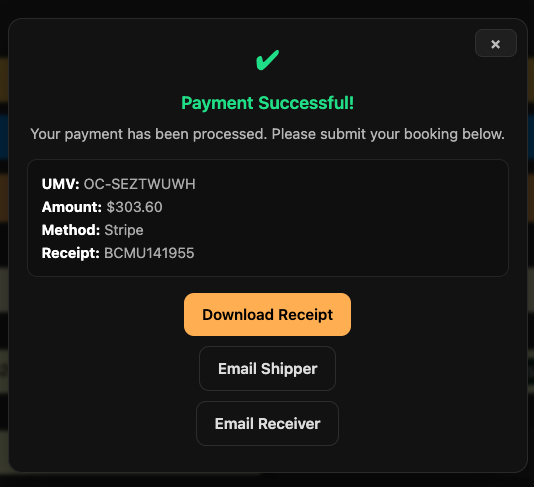
After Payment
Regardless of payment method, you’ll receive:
- A payment receipt via email.
- Access to your receipt in the Client Portal under “Receipts.”
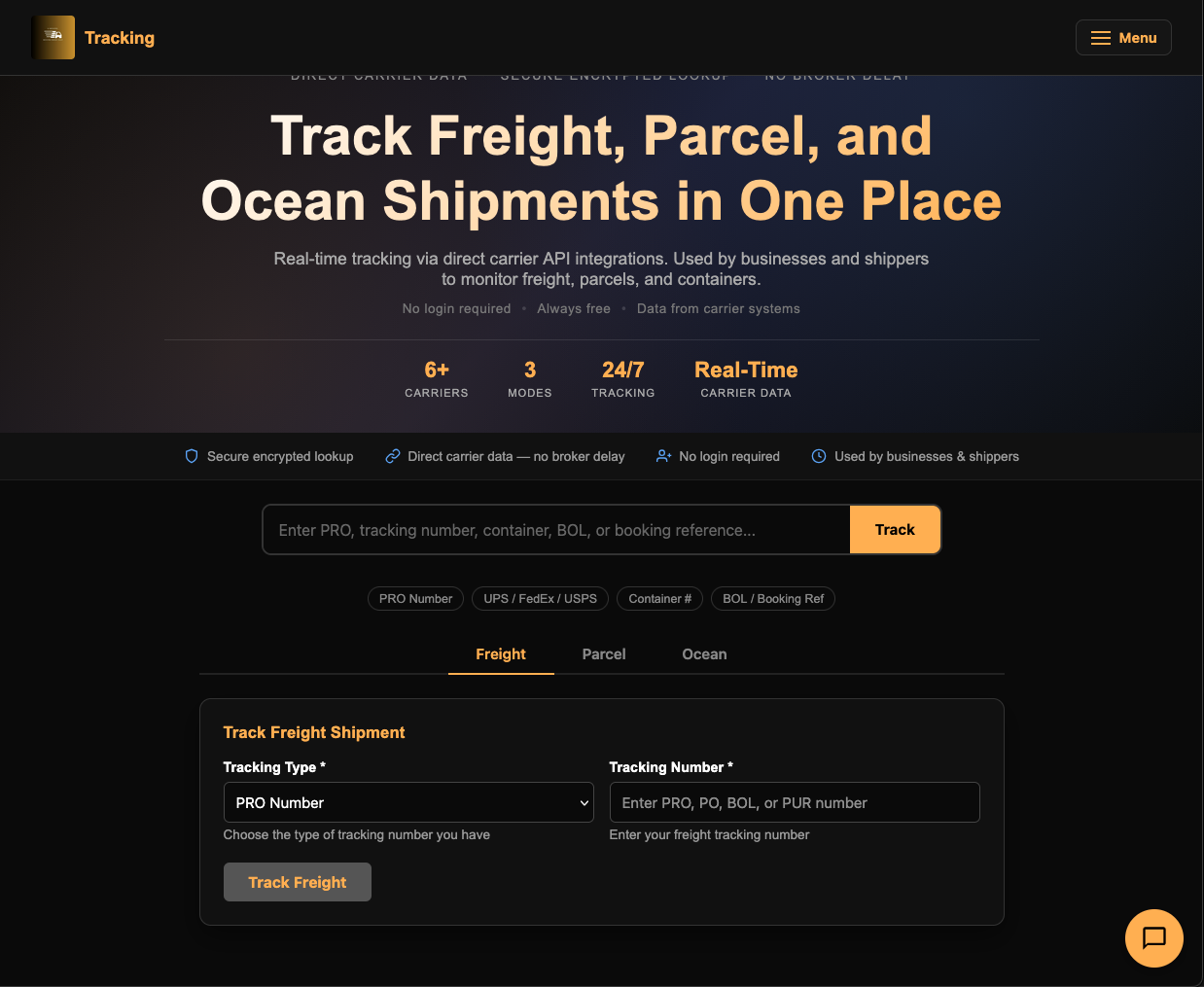
Tracking Your Shipment
Page: u-movers.com/tracking
Track any shipment — freight, parcel, or ocean — from a single page. No login required.
Smart Search
The easiest way to track: paste any tracking number into the universal search bar at the top. The system automatically detects the number type and shows a badge (PRO, UPS, FedEx, Container, etc.).
Click “Track” to get results.
Track by Mode
If you prefer, use the tabs:
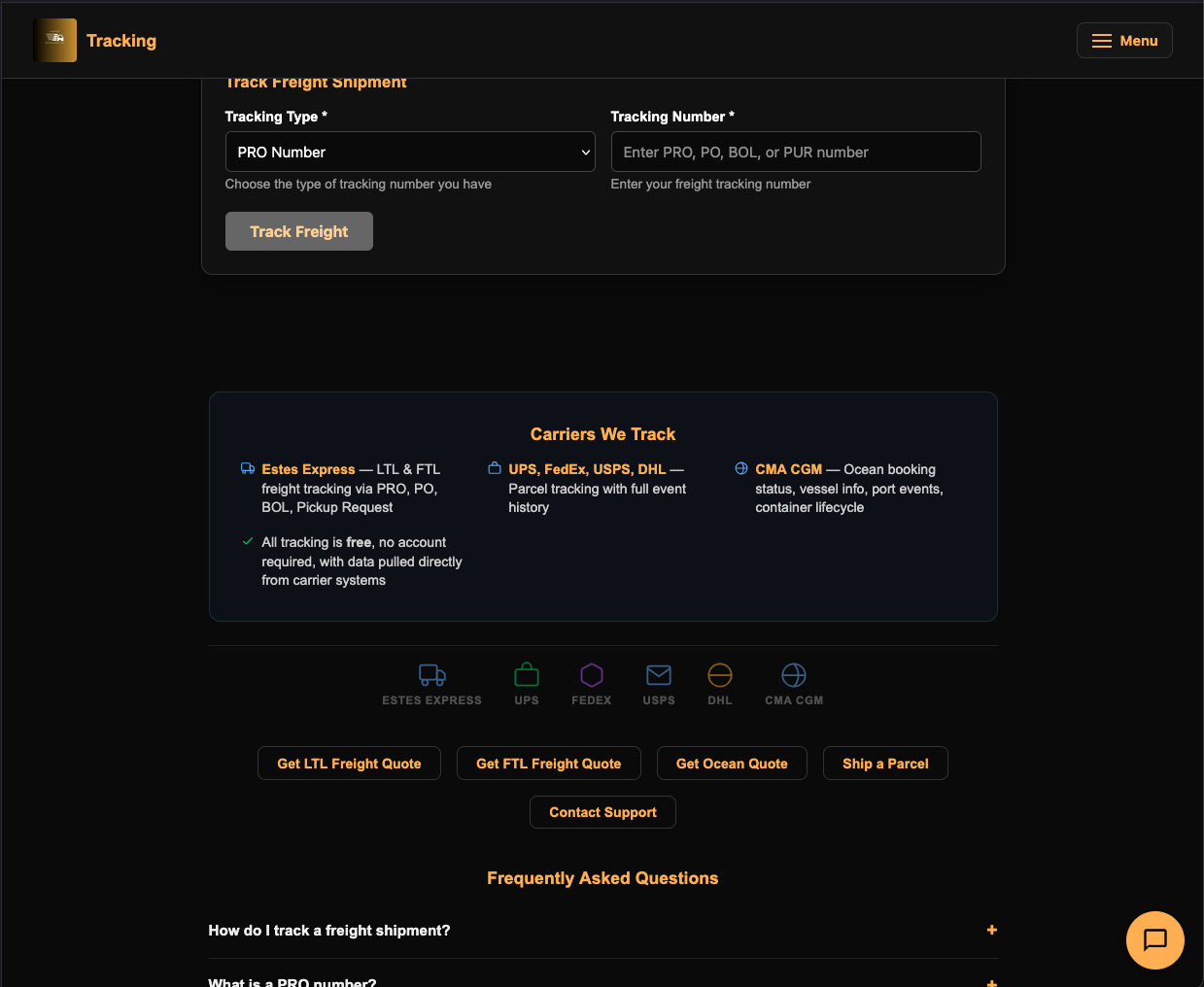
Freight Tab
- Select Tracking Type: PRO Number, Purchase Order, Bill of Lading, or Pickup Request.
- Enter your tracking number.
- Click “Track Freight”.
Parcel Tab
- Select Carrier: UPS, FedEx, USPS, or DHL Express.
- Enter the tracking number.
- Click “Track Parcel”.
Ocean Tab
- Enter your Container Number or Booking Reference.
- Click “Track Ocean”.
Tracking Results
Results appear below the search form showing:
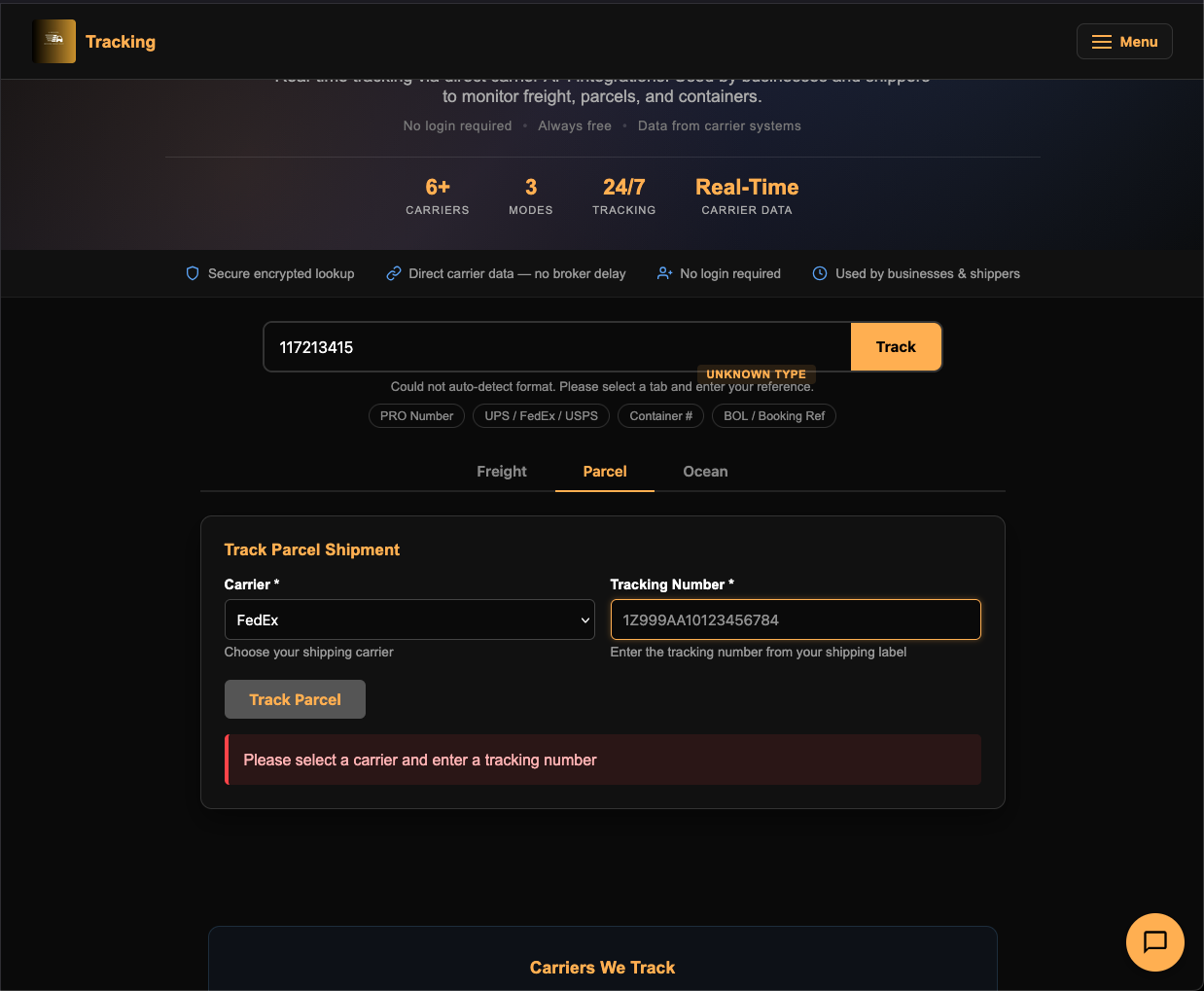
- Current status and location.
- Estimated delivery date.
- Full shipment history/timeline.
- Carrier-specific details.
Scheduling a Pickup
After booking a freight shipment, you need to schedule a carrier pickup. This page appears after the booking step.
What You’ll See
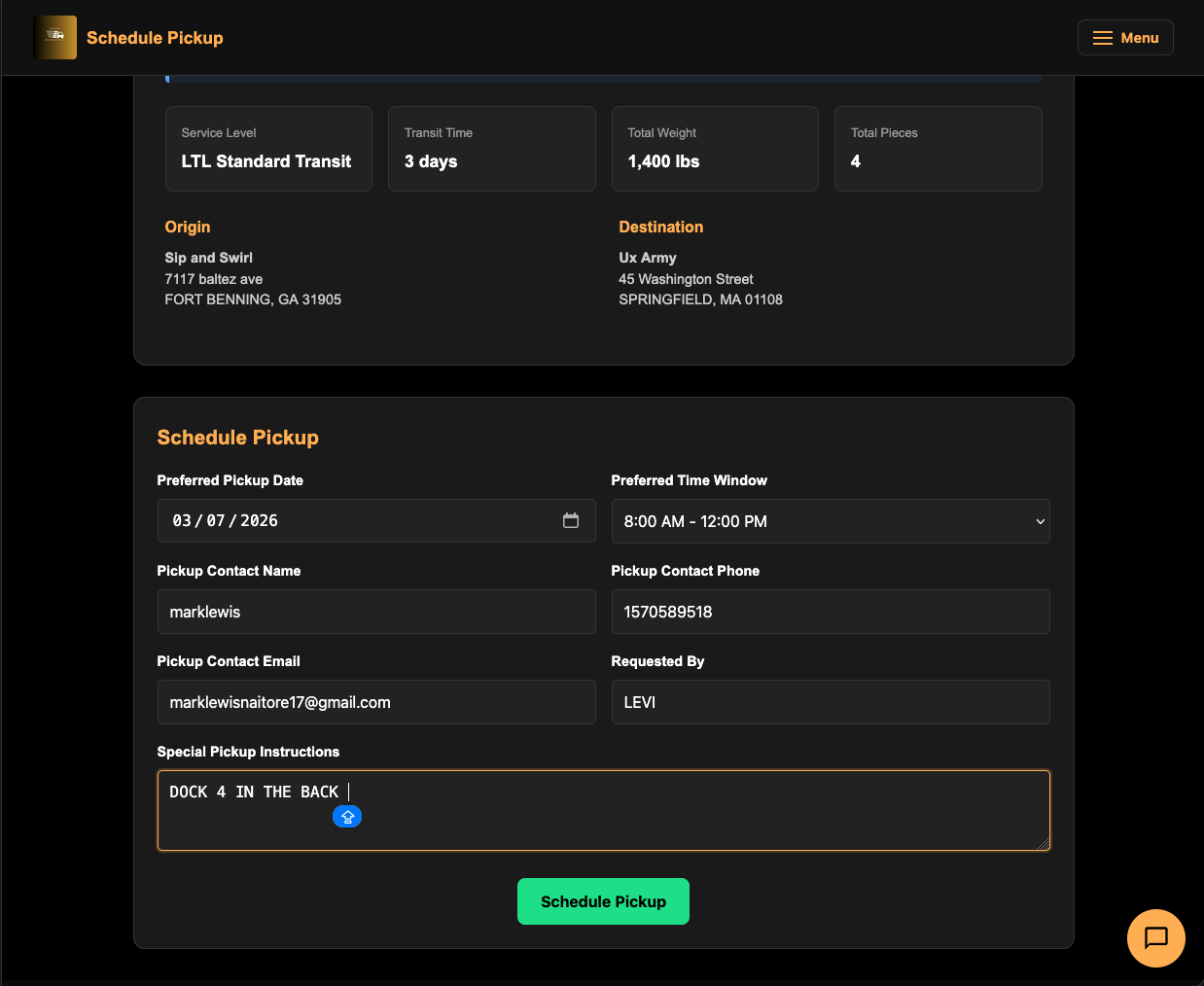
The page shows a Shipment Summary with all booking details:
- UMV Reference, BOL ID, PRO Number
- Service Level and Transit Time
- Weight, number of pieces
- Origin and destination
Download Your Documents
Before scheduling pickup, you can download:
- “Download BOL” — Your Bill of Lading PDF.
- “Free Shipping Labels” — Carrier-formatted shipping labels.
Schedule the Pickup
Fill in:
- Preferred Pickup Date — Use the date picker.
- Preferred Time Window — Choose from:
- 8 AM – 12 PM
- 12 PM – 5 PM
- 8 AM – 5 PM (Any Time)
- Pickup Contact — Name, phone, and email for the person on-site.
- Requested By — Your name.
- Special Pickup Instructions — Gate codes, dock numbers, weight limits, etc.
Click “Schedule Pickup”. On success, you’ll be redirected to a confirmation page with the pickup confirmation number and date.
Client Portal
Logging In
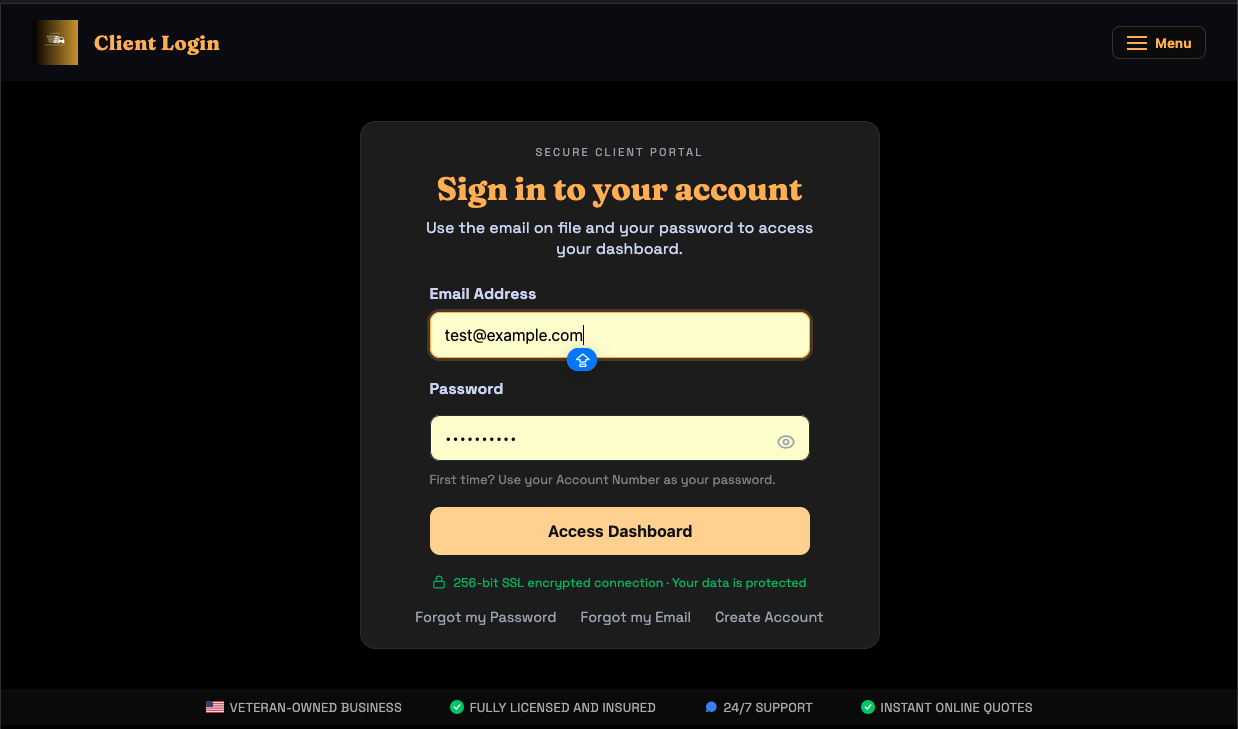
Page: u-movers.com/login
- Enter your Email Address and Password.
- Click “Access Dashboard”.
Trouble Signing In?
- Forgot password? — Click “Forgot my Password” and submit your email. Our team will reset it for you.
- Forgot email? — Click “Forgot my Email” and provide your name and alternate contact info.
- New here? — Click “Create Account” to register.
Your Dashboard
Page: u-movers.com/client-portal
After logging in, your dashboard shows six stat cards:
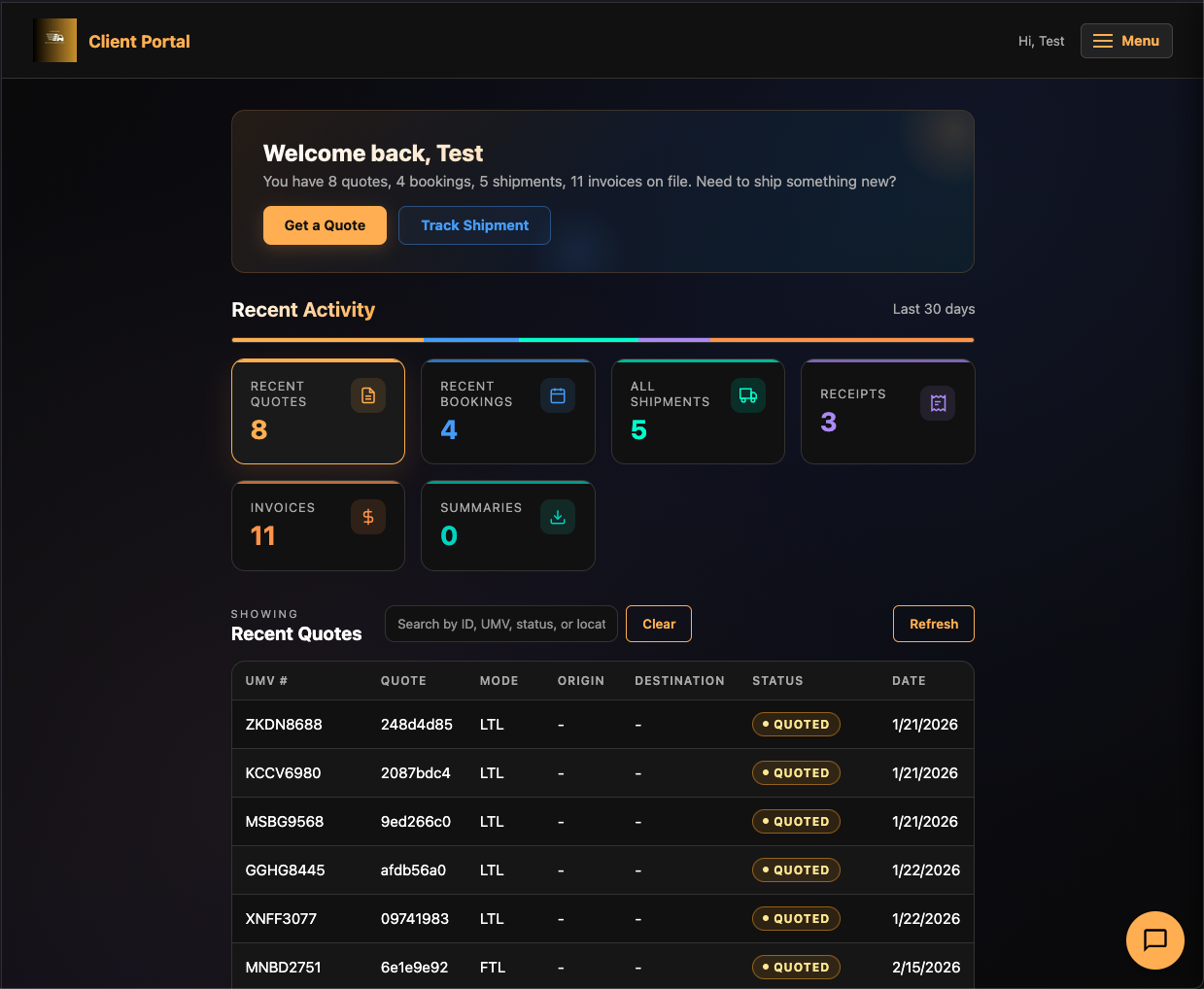
| Card | What It Shows |
|---|---|
| Quotes | All quotes requested under your account |
| Bookings | All shipments you’ve booked |
| Shipments | Active/in-transit shipments |
| Receipts | Payment receipts for completed transactions |
| Invoices | Outstanding and paid invoices |
| Summaries | Shipment summaries and reports |
Click any card to filter the data table below it. Click a row in the table to open a detail drawer on the right side with full information and available actions.
Account Management
Click the account menu to:
- View your account details.
- Change your password.
- Sign out.
Services Overview
Page: u-movers.com/services
The Services page provides a comprehensive look at everything U-Movers offers, organized into four pillars:
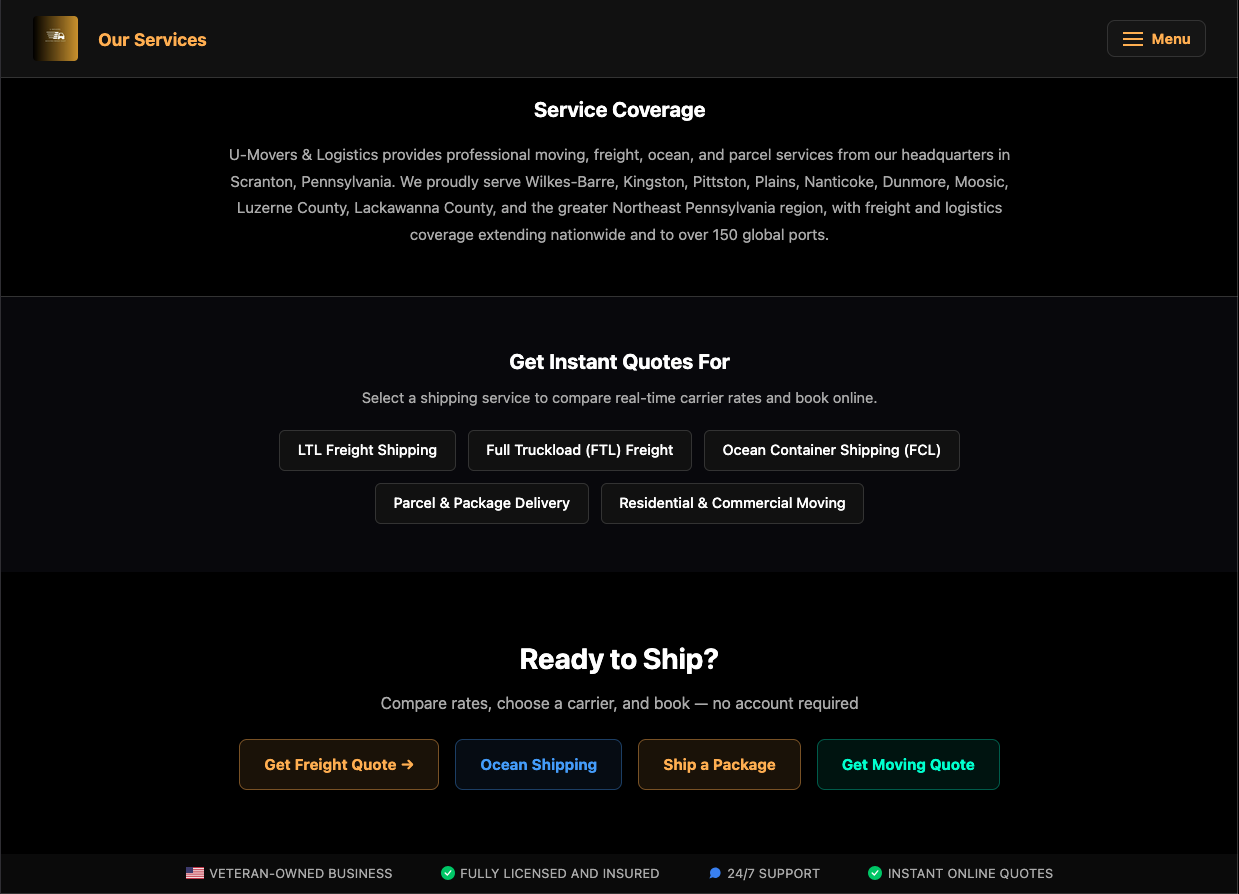
Moving & Relocation
Residential, long-distance, office/commercial, specialty (piano, safe), packing, assembly/disassembly, storage, and donation pickup. Get a Moving Quote.
Ocean Freight & Container Logistics
Port-to-port shipping, 150+ global ports, FCL/LCL handling, container tracking, DCSA digital shipping instructions, and reefer/temperature-controlled options. Check Container Rates.
Parcel & Express Shipping
Instant shipping labels, multi-carrier rate comparison (UPS, FedEx, USPS, DHL), overnight/express, scheduled pickup, and business shipping automation. Ship a Package.
Freight & Transportation
LTL and FTL freight with live carrier rates, all equipment types (dry van, refrigerated, flatbed), heavy/oversized cargo, and warehouse-to-warehouse transport. Get LTL Quote or Get FTL Quote.
About U-Movers & Logistics
Page: u-movers.com/about
U-Movers & Logistics LLC is a veteran-owned logistics company based in Scranton, Pennsylvania. Founded as a local moving company, we’ve grown into a full-service logistics platform offering freight shipping, ocean containers, parcel delivery, and professional moving services.
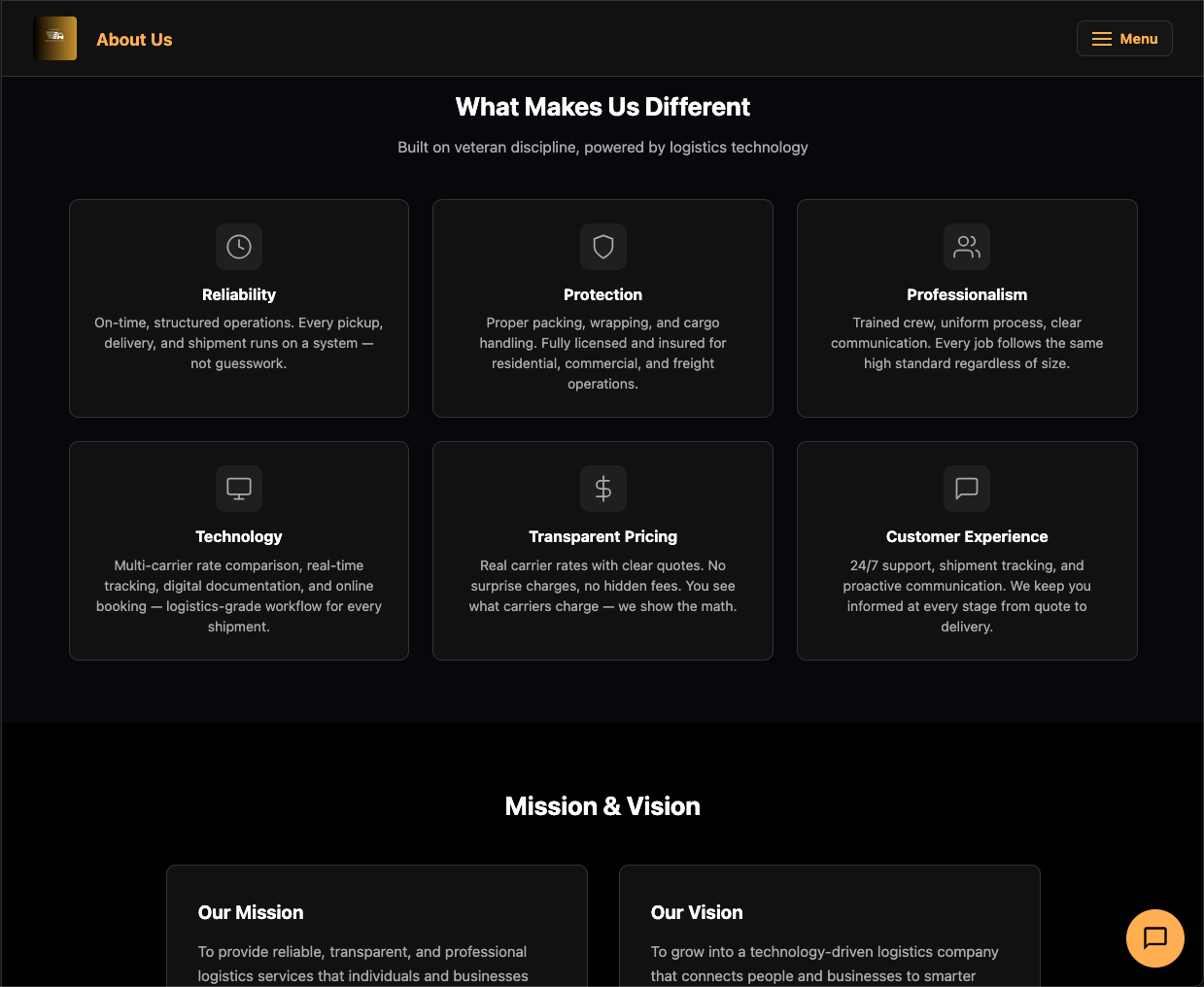
What Makes Us Different
- Transparent Pricing — Real carrier rates with no surprise charges.
- Multi-Carrier Comparison — Compare rates from multiple carriers side by side.
- Real-Time Tracking — Track every shipment across all modes.
- Technology-Driven — Digital documentation, instant labels, automated workflows.
- 24/7 Support — Reach us anytime via email, phone, or live chat.
Contact Information
| support@u-movers.com | |
| Phone | (570) 209-1914 |
| Address | 639 E Locust St, Scranton, PA 18505 |
| Hours | 24/7 Support Available |
Service Area
- Moving: Scranton, Wilkes-Barre, Pittston, Dunmore, Moosic, and all of Northeast Pennsylvania.
- Freight: All 50 U.S. states.
- Parcel: Domestic and international (25+ countries).
- Ocean: 150+ global ports worldwide.
Tips & Best Practices
Choosing Between LTL and FTL
| Factor | LTL | FTL |
|---|---|---|
| Weight | 150 – 10,000 lbs | 10,000+ lbs |
| Space | Shares truck with other shipments | Dedicated truck |
| Speed | 2–7 business days typically | 1–5 business days typically |
| Cost | Lower for smaller shipments | Lower per-pound for large loads |
| Handling | Multiple touch points | Direct — less handling risk |
Rule of thumb: If your shipment is over 10,000 lbs or takes up more than half a truck, FTL is usually more cost-effective.
Saving Money on Freight
- Be accurate with weight and dimensions. Incorrect measurements can lead to reweigh charges.
- Use the correct freight class. A lower class costs less — but misclassification can cause billing adjustments.
- Only select accessorials you need. Liftgate, inside delivery, and residential services all add cost.
- Be flexible on dates. Rates can vary day to day.
- Compare carriers. U-Movers shows you multiple options — the cheapest isn’t always the slowest.
Ocean Shipping Tips
- Book early. Container space fills up, especially during peak seasons (August–October).
- Use standard containers when possible. 40ft High Cube is the most cost-effective option for most cargo.
- Have documentation ready. HS codes, commodity descriptions, and party details speed up the process.
- Know the difference between B/L and Sea Waybill. B/L is negotiable (needed for letters of credit); Sea Waybill is simpler for direct shipments.
Parcel Shipping Tips
- Measure accurately. Carriers use dimensional weight pricing — a large, light box costs more than you’d expect.
- Compare all carriers. USPS is often cheapest for light packages; UPS/FedEx for heavier or time-sensitive items.
- Print labels immediately. Labels are generated as PDFs right after payment — print and attach securely.
Frequently Asked Questions
General
Do I need an account to get quotes?
No. You can get freight, ocean, and parcel quotes without creating an account or logging in. An account is only needed to access the Client Portal and view your history.
What carriers does U-Movers work with?
We currently integrate with:
- Estes Express — LTL and FTL freight across the U.S.
- Uber Freight — LTL and FTL freight with real-time pricing.
- CMA CGM — Ocean FCL containers to 150+ global ports.
- UPS, FedEx, USPS, DHL — Parcel and package shipping.
How do I contact support?
- Email: support@u-movers.com
- Phone: (570) 209-1914
- Address: 639 E Locust St, Scranton, PA 18505
You can also use the Contact Us toggle in the footer of any page.
What is a UMV Reference Number?
Every quote and booking on U-Movers receives a unique UMV Reference in the format ABCD1234. This is your tracking code for the transaction across our system. Keep it handy — support can look up any quote or booking instantly with this number.
Freight Shipping
What’s the difference between LTL and FTL?
LTL (Less-Than-Truckload): Your shipment shares space on a truck with other shippers. Best for pallets and crates up to about 10,000 lbs. You only pay for the space you use.
FTL (Full Truckload): You get a dedicated truck for your shipment. Best for large shipments over 10,000 lbs, or when you need the entire truck. Less handling means lower risk of damage.
How long does LTL freight take?
Transit times vary by distance and service level, but most LTL shipments within the continental U.S. take 2 to 7 business days. The exact time is shown on each quote card, so you can compare before booking.
What are accessorials?
Accessorials are add-on services beyond standard pickup and delivery. Common examples include:
- Liftgate — A hydraulic platform to load/unload when no dock is available.
- Inside Delivery — Carrier moves the freight beyond the loading dock, inside the building.
- Residential Delivery — Delivery to a home address (carries a surcharge).
- Limited Access — Locations with restricted access (construction sites, churches, schools, etc.).
What is freight class?
Freight class is a standardized classification (50 through 500) that determines LTL pricing. It’s based on:
- Density (weight relative to size)
- Handling difficulty
- Liability
- Stowability
Lower classes (50, 55) cost less; higher classes (300, 400, 500) cost more. If you’re unsure of your class, our quoting system will help, and carriers may reclassify if needed.
Do I need a Bill of Lading (BOL)?
Yes, for freight shipments. The BOL is automatically generated during the booking process — you don’t need to create one yourself. After booking, you can download the BOL PDF from the Pickup page. Print it and have it ready for the driver.
Ocean Shipping
How much does it cost to ship a 40ft container?
Rates vary based on origin port, destination port, departure date, and commodity type. The best way to find out is to get a quote on our Ocean Shipping page — it takes about 30 seconds.
As a rough guide, rates for a 40ft HC from Europe to Asia range from $1,000 to $5,000+ depending on the route and season.
What container sizes are available?
| Size | Dimensions (L x W x H) | Max Payload | Best For |
|---|---|---|---|
| 20ft Standard | 20’ x 8’ x 8’6” | ~28,000 kg | Heavy, dense cargo |
| 40ft Standard | 40’ x 8’ x 8’6” | ~26,500 kg | General cargo |
| 40ft High Cube | 40’ x 8’ x 9’6” | ~26,000 kg | Light, voluminous cargo (most popular) |
| 45ft High Cube | 45’ x 8’ x 9’6” | ~25,000 kg | Extra-large shipments |
| 20ft Reefer | 20’ x 8’ x 8’6” | ~27,000 kg | Temperature-sensitive goods |
| 40ft Reefer HC | 40’ x 8’ x 9’6” | ~26,000 kg | Large cold chain shipments |
What are Shipping Instructions?
Shipping Instructions (SI) are the documentation you provide after booking to create the Bill of Lading for your ocean shipment. They include details about the shipper, consignee, cargo description, container numbers, and seal details. Most of this is pre-filled from your booking.
What is VGM?
VGM stands for Verified Gross Mass. Under SOLAS (Safety of Life at Sea) regulations, the shipper must provide the verified weight of a packed container before it can be loaded onto a vessel. You enter this in the Shipping Instructions form under Container Details.
Does U-Movers handle customs?
Currently, U-Movers provides port-to-port shipping via CMA CGM. Customs clearance, duties, and import documentation are the responsibility of the consignee (receiver) at the destination port. We recommend working with a customs broker if you’re new to international shipping.
Parcel Shipping
How do I print my shipping label?
After completing payment for a parcel shipment, a shipping label is automatically generated as a PDF file. Download it, print it on a standard printer, and attach it securely to your package. Make sure the barcode is clearly visible and not wrinkled.
Can I schedule a carrier pickup?
Yes. After generating your label, you can schedule a pickup through the carrier. UPS, FedEx, and USPS all offer home and business pickups. Alternatively, you can drop off your package at any carrier location (USPS Post Office, UPS Store, FedEx Office, etc.).
Do you ship internationally?
Yes. The parcel quoting page supports 25+ countries including Canada, UK, Australia, Germany, France, Japan, and more. International rates and transit times are shown alongside domestic options.
Moving & Relocation
How quickly will I get a moving quote?
After submitting your move request, our team typically responds within 24 hours with a personalized estimate. Local NEPA moves often get same-day callbacks.
Where do you provide moving services?
Our moving services cover the Northeast Pennsylvania area including:
Scranton, Wilkes-Barre, Kingston, Pittston, Plains, Nanticoke, Dunmore, Moosic, Old Forge, Taylor, Carbondale, Clarks Summit, Archbald, Dickson City, Throop, and surrounding communities in Luzerne and Lackawanna Counties.
For long-distance moves (interstate/cross-country), we coordinate with our carrier network.
What if I need packing help?
Select your packing needs in Step 3 of the moving form. We offer:
- Full Service Packing — We pack everything.
- Fragile Items Only — We handle delicate items; you pack the rest.
Are my belongings insured during the move?
Yes. Every shipment with U-Movers is insured. We follow standardized safety procedures and maintain full licensing and insurance coverage. Details about our claims process are available on the About page.
Payments & Billing
What payment methods do you accept?
- Credit/Debit cards (Visa, Mastercard, Amex, Discover)
- PayPal
- Invoice (net-30 payment terms)
How does invoicing work?
When you choose “Invoice Me” during checkout:
- An invoice is generated with a unique number (e.g., INV-UUXE1769).
- The PDF is emailed to you immediately.
- Payment is due within 30 days.
- You can pay via the link in the email or contact us for bank transfer details.
Where can I find my receipt?
Receipts are emailed automatically after payment. You can also find all receipts in your Client Portal under the “Receipts” section. Each receipt includes a downloadable PDF.
Tracking
Can I track without an account?
Yes. The tracking page is completely free and requires no login. Just enter any valid tracking number.
What types of numbers can I track?
The smart search auto-detects:
- PRO numbers (freight)
- UPS/FedEx/USPS tracking numbers (parcel)
- DHL tracking numbers
- Container numbers (ocean)
- Bill of Lading numbers
- Booking references
How often is tracking updated?
Tracking information comes directly from the carrier’s systems in real-time. Updates depend on the carrier’s scanning frequency — typically at each hub or terminal for freight, and at each sort facility for parcels.
Glossary
Common shipping, logistics, and freight terms you may encounter while using U-Movers.
| Term | Definition |
|---|---|
| Accessorial | An add-on service beyond standard pickup and delivery (e.g., liftgate, inside delivery, residential). |
| AWB | Air Waybill — a document for air freight shipments (similar to a BOL for ocean/ground). |
| BL / BOL | Bill of Lading — the primary shipping document. Acts as a receipt, a contract of carriage, and evidence of title to the goods. |
| Booking | A confirmed reservation with a carrier for a specific shipment at a quoted price. |
| Carrier | The company that physically transports the goods (e.g., Estes Express, UPS, CMA CGM). |
| CBM | Cubic Meter — a unit of volume commonly used in ocean freight. 1 CBM = 35.3 cubic feet. |
| Commodity | The type of goods being shipped. Accurate commodity descriptions are important for classification and customs. |
| Consignee | The person or company receiving the shipment at the delivery address. |
| CY | Container Yard — the terminal where containers are loaded, stored, and picked up. |
| Demurrage | Charges incurred when an ocean container is held at a port terminal beyond the allotted free time. |
| Detention | Charges incurred when a container is held at your facility (outside the terminal) beyond the allotted free time. |
| Drayage | Short-distance hauling of containers from a port to a warehouse (or vice versa). |
| ETA | Estimated Time of Arrival — the projected date/time a shipment will reach its destination. |
| ETD | Estimated Time of Departure — the projected date/time a vessel or truck will depart. |
| FCL | Full Container Load — you lease the entire container space. U-Movers ocean shipping is FCL. |
| Freight Class | An NMFC classification (50–500) based on density, handling, liability, and stowability. Determines LTL pricing. |
| FTL | Full Truckload — your shipment fills (or is billed for) an entire truck. Typically 10,000+ lbs. |
| Hazmat | Hazardous Materials — regulated goods that require special packaging, labeling, and carrier approval. |
| HS Code | Harmonized System Code — an international 6-10 digit commodity classification used for customs. |
| Intermodal | Transportation using more than one mode (e.g., ocean + truck, rail + truck). |
| Invoice | A request for payment sent to the customer. U-Movers invoices are net-30 with a unique INV- number. |
| LCL | Less-than-Container Load — cargo that shares space in a container with other shippers. |
| Liftgate | A hydraulic platform on the truck used to lower freight to ground level when no loading dock is available. |
| LTL | Less-Than-Truckload — your shipment shares truck space with other shippers. Ideal for 1–10 pallets. |
| NMFC | National Motor Freight Classification — the standard for freight classification used in the U.S. |
| Origin | The pickup location (city, state, ZIP) where the shipment begins. |
| Pallet | A flat wooden platform (typically 40”x48”) used to stack and transport freight. |
| POD | Proof of Delivery — a document signed by the consignee confirming receipt of the goods. |
| PRO Number | Progressive Number — a unique tracking number assigned by the freight carrier to each shipment. |
| Quote | A price estimate from a carrier for shipping goods between two locations. Quotes may have limited validity. |
| Receipt | Proof of payment issued after a transaction is completed. Available as a PDF in your Client Portal. |
| Reefer | Refrigerated container — used for perishable or temperature-sensitive cargo. |
| Shipper | The person or company sending the shipment (the customer or their agent). |
| Shipping Instructions (SI) | Documentation provided after booking an ocean shipment. Used to create the ocean Bill of Lading. |
| SOLAS | Safety of Life at Sea — an international maritime treaty. Requires VGM for loaded containers. |
| Surcharge | An additional fee added to the base shipping rate (e.g., fuel surcharge, residential surcharge). |
| TEU | Twenty-foot Equivalent Unit — a standard measure of container capacity. A 40ft container = 2 TEU. |
| Transit Time | The number of business days between pickup and delivery (or departure and arrival for ocean). |
| UMV Reference | A unique code in the format ABCD1234 assigned by U-Movers to every quote and booking for tracking through our system. |
| VGM | Verified Gross Mass — the verified weight of a packed ocean container as required by SOLAS regulations. |
| Warehouse | A facility for storing goods before or after transportation. |